
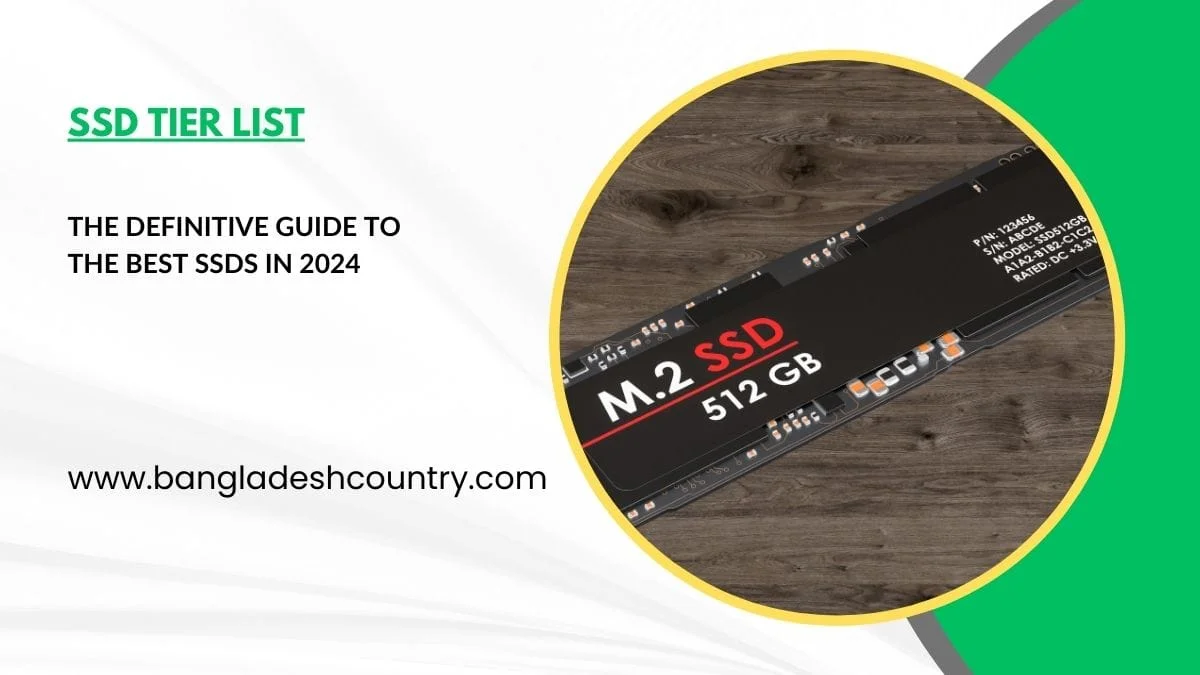
Navigating the Solid State Drive (SSD) market can feel like trying to hit a moving target. Manufacturers are constantly pushing boundaries, releasing faster, more efficient, and often more affordable storage solutions. You’re looking for the best performance, reliability, and value, and frankly, the sheer volume of options, from budget-friendly SATA drives to bleeding-edge PCIe Gen5 NVMe powerhouses, makes that a challenge. In 2026, we can look back at the landscape of 2024 and see which drives truly stood out, and crucially, which ones still deliver exceptional performance and value today. This isn’t just a historical review; it’s an essential guide to understanding why certain SSDs became benchmarks and remain top contenders, even as new generations emerge. We’ll break down the market with a definitive SSD tier list, helping you cut through the noise and make an informed decision, whether you’re building a new PC, upgrading an existing one, or just need more speed for your data.
Why an SSD Tier List Matters, Even in 2026

Even with new technology constantly on the horizon, understanding an SSD tier list from a previous year like 2024 is incredibly valuable. Why? Because the cream of the crop often remains excellent for years, especially as prices drop and compatibility widens. Many of the top-tier drives from 2024, designed around PCIe Gen4, still offer more performance than most users will ever fully utilize. In 2026, while PCIe Gen5 SSDs are becoming more accessible, the sweet spot for performance-per-dollar for most consumers still often resides in the high-end Gen4 market that peaked in 2024. This guide re-evaluates those 2024 titans alongside current contenders, providing clarity for your next purchase.
The Evolving SSD Market: Gen4 Dominance to Gen5 Emergence
In 2024, PCIe Gen4 NVMe SSDs firmly held the performance crown for the mainstream consumer, pushing sequential read/write speeds well past 7,000 MB/s. They delivered incredible responsiveness for gaming, content creation, and everyday computing. Fast forward to 2026, and PCIe Gen5 drives have begun to carve out their niche, offering theoretical speeds up to 14,000 MB/s or more. However, true Gen5 utilization often requires specific, high-end motherboards and CPUs, and real-world gains over Gen4 are still marginal for many common tasks. This means that a well-chosen Gen4 SSD from 2024 can still be a smarter, more cost-effective investment for many users today.
Beyond Raw Speed: Understanding the Metrics That Count
It’s easy to get caught up in the headline numbers of sequential read/write speeds. While impressive, these don’t tell the whole story. For most everyday tasks, including gaming, operating system responsiveness, and application loading, random read/write performance is far more critical. Random operations determine how quickly your SSD can access small, scattered files – precisely what an OS, applications, and games do constantly. We’ll focus on a balanced view, considering sustained performance, endurance, thermal management, and price-to-performance ratio, not just peak sequential benchmarks.
Understanding the SSD Landscape: Key Technologies and Terms
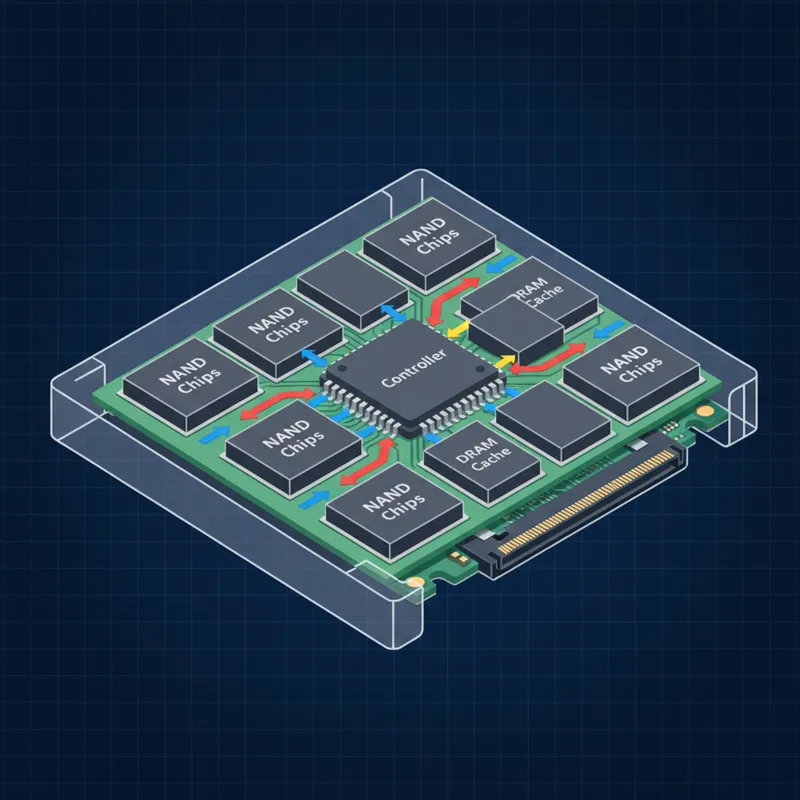
Before diving into specific models, it’s essential to grasp the core technologies that define SSD performance and longevity. Knowing these terms will empower you to understand why certain drives land in particular tiers.
NVMe vs. SATA: The Speed Divide
The most fundamental distinction is between NVMe (Non-Volatile Memory Express) and SATA (Serial Advanced Technology Attachment) SSDs. SATA SSDs connect via the older SATA interface, with theoretical maximum speeds around 550 MB/s. They’re still perfectly fine for older systems or as secondary storage for less demanding tasks. NVMe SSDs, on the other hand, communicate directly with the CPU via the PCIe (Peripheral Component Interconnect Express) bus, offering dramatically higher bandwidth and lower latency. This is where you’ll find the performance kings.
PCIe Generations: Gen3, Gen4, and Gen5 (What You Need to Know in 2026)
PCIe generations define the speed of the NVMe interface. Each generation effectively doubles the bandwidth of the previous one.
- PCIe Gen3: Offers speeds up to around 3,500 MB/s. Still widely used for budget NVMe drives and perfectly adequate for many users, especially those with older motherboards.
- PCIe Gen4: The mainstream performance standard from 2024, pushing speeds up to 7,000-7,500 MB/s. Most modern mid-range to high-end motherboards from the last few years support Gen4. This is often the sweet spot for value in 2026.
- PCIe Gen5: The bleeding edge in 2026, with theoretical speeds reaching 12,000-14,000 MB/s and beyond. These require the latest CPUs (e.g., Intel’s 13th/14th Gen or AMD’s Ryzen 7000 series and newer) and compatible motherboards. While incredibly fast, the real-world performance gains over Gen4 are often only noticeable in niche, extremely demanding workloads like uncompressed 8K video editing or specific database applications, or with future gaming technologies leveraging DirectStorage.
NAND Types: TLC, QLC, and SLC Cache
NAND flash is the actual storage medium inside an SSD. The type dictates cost, endurance, and often performance.
- TLC (Triple-Level Cell): Stores 3 bits per cell. Offers a good balance of performance, endurance, and cost. Most high-quality consumer SSDs use TLC.
- QLC (Quad-Level Cell): Stores 4 bits per cell. Cheaper to produce and offers higher capacities, but generally has lower endurance and can be slower once its SLC cache is exhausted. Ideal for bulk storage where write endurance isn’t a primary concern.
- SLC Cache: To boost write speeds, nearly all SSDs utilize a portion of their NAND as a faster Single-Level Cell (SLC) cache. Writes initially hit this cache at high speed, then are moved to the slower TLC/QLC NAND in the background. The size and effectiveness of this cache are crucial for sustained write performance.
DRAM Cache: Why It Still Matters
Many high-performance SSDs include a dedicated DRAM chip (Dynamic Random Access Memory). This DRAM acts as a map of where data is stored on the NAND, drastically speeding up access times for the SSD controller. DRAM-less SSDs use a portion of your system’s RAM (Host Memory Buffer, or HMB) for this mapping. While HMB technology has improved, a dedicated DRAM cache almost always offers superior, more consistent performance, especially under heavy loads. For an SSD Tier List focused on performance, drives with DRAM cache typically rank higher.
Endurance (TBW) and Warranty
SSD endurance is measured in Terabytes Written (TBW) – the total amount of data that can be written to the drive before its cells might start to fail. For most consumer use, even lower-end SSDs offer more than enough TBW for years of daily use. High-end drives offer significantly higher TBW figures. Warranty is also critical. A longer warranty (e.g., 5 years) indicates a manufacturer’s confidence in their product’s longevity and provides peace of mind.
The SSD Tier List: Best Drives from 2024, Re-evaluated for 2026
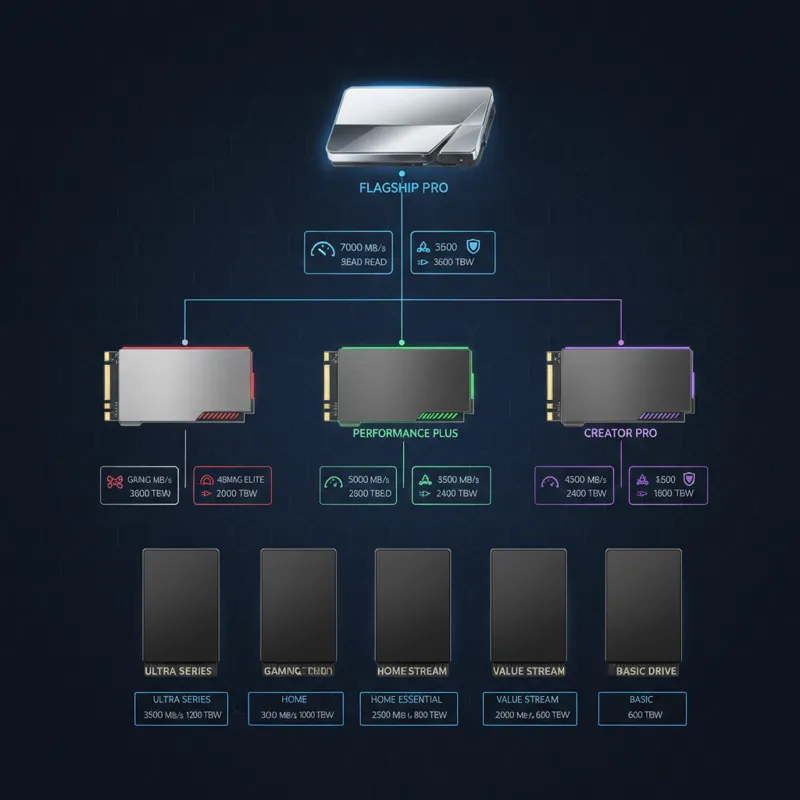
Here’s our breakdown of the best SSDs from 2024, re-evaluated for their relevance and value in 2026, categorized by performance and typical use case. We’ll include some standout Gen5 contenders that have emerged more prominently in the past year.
Tier 1: Absolute Performance Kings (Premium, often Gen4 top-tier from 2024, some early Gen5)
These drives offer the absolute best performance for demanding users, including professional content creators, competitive gamers, and those running intensive applications. They come with premium controllers, high-quality TLC NAND, and substantial DRAM cache. In 2026, these are still the fastest available for their respective PCIe generations.
- Samsung 990 Pro (PCIe Gen4): This was the uncontested king of Gen4 in 2024, and it remains a powerhouse. With exceptional random read/write speeds, stellar sustained performance, and excellent efficiency, it’s still one of the best choices for a premium Gen4 experience. It’s often priced more competitively now than in 2024, making it a strong value proposition for top-tier Gen4.
- WD Black SN850X (PCIe Gen4): A fierce competitor to the 990 Pro, the SN850X often excelled in gaming benchmarks in 2024, thanks to its optimized firmware. It delivers blistering speeds, robust endurance, and strong thermal performance, making it another top pick for anyone seeking the pinnacle of Gen4.
- Crucial T700 / T705 (PCIe Gen5): Representing the current generation, Crucial’s T700 series launched in late 2024 and pushed Gen5 speeds to their limits, with the T705 refining that further in 2025. With sequential reads up to 14,500 MB/s, these are for the absolute bleeding edge. If you have a Gen5-compatible system and need every last drop of speed for workstation tasks or future-proofing, these are excellent, albeit expensive, choices. They typically include substantial heatsinks.
- Seagate FireCuda 540 (PCIe Gen5): Seagate’s entry into the Gen5 arena, also arriving in late 2024, offers competitive speeds and robust reliability. It’s another excellent option for those prioritizing maximum raw throughput on a compatible system.
Tier 2: Excellent All-Rounders (High Performance, Great Value)
This tier comprises drives that offer near-premium performance without the top-tier price tag. They are fantastic choices for most users, including gamers, mainstream content creators, and those building high-performance systems. Many of these drives achieved flagship status in 2024 and now represent incredible value.
- SK Hynix Platinum P41 (PCIe Gen4): A surprise hit from 2024, the P41 Platinum delivered performance often rivaling or exceeding the top dogs, particularly in real-world benchmarks, while often being more affordable. Its efficiency and consistent performance make it an outstanding choice in 2026.
- Solidigm P44 Pro (PCIe Gen4): Essentially a rebranded SK Hynix P41 Platinum (Solidigm spun off from Intel’s NAND business, now owned by SK Hynix), this drive offers identical, excellent performance. If you find it at a good price, it’s a solid contender for any high-performance build.
- Samsung 980 Pro (PCIe Gen4): The predecessor to the 990 Pro, the 980 Pro was a flagship in its own right in 2021-2023 and remains an incredibly capable drive in 2026. Its speeds are still more than enough for modern gaming and demanding applications, and its price has become very attractive. This is a prime example of a 2024 standout that maintains strong relevance.
- Crucial P5 Plus (PCIe Gen4): Offering solid Gen4 performance and good endurance, the P5 Plus is a reliable choice for a high-performance system without breaking the bank. It consistently performs well in real-world scenarios.
Tier 3: Solid Mainstream Choices (Performance for Most Users, Budget-Friendly)
These drives hit a sweet spot for budget-conscious builders and upgraders who still want the benefits of NVMe speeds. They offer good performance for general computing, gaming (though not always taking full advantage of DirectStorage in its most demanding scenarios), and productivity. Many are DRAM-less but utilize Host Memory Buffer (HMB) effectively.
- WD Blue SN580 (PCIe Gen4): A strong successor to the SN570, the SN580 offers respectable Gen4 speeds and reliable performance for its price point. It’s an excellent choice for mainstream users or as a secondary game drive.
- Kingston KC3000 (PCIe Gen4): With very capable Gen4 speeds and often aggressive pricing, the KC3000 is a fantastic all-rounder for users who want strong performance without paying a premium. Its endurance ratings are also quite good.
- ADATA XPG GAMMIX S70 Blade (PCIe Gen4): This drive offers high-end Gen4 speeds and often comes with a heatsink, making it suitable for PS5 upgrades or PC builds where thermal management is a concern. Its pricing can fluctuate, but when on sale, it’s a steal.
- Lexar NM790 (PCIe Gen4): A relatively newer entrant that quickly gained popularity for its impressive performance-to-price ratio in 2024-2025. It often punches above its weight class, delivering speeds close to higher-tier drives at a more budget-friendly cost, making it a compelling option in 2026.
Tier 4: Value and Budget Options (Still Good, Specific Niches)
These drives focus on affordability and capacity, sacrificing some raw performance. They are ideal for secondary storage, older systems, or users with very light workloads. You’ll often find QLC NAND here, or older PCIe Gen3 NVMe drives.
- Crucial P3 Plus (PCIe Gen4): While Gen4, the P3 Plus uses QLC NAND and is DRAM-less. It offers decent speeds for general use and as a bulk storage drive for games or files that don’t require constant, high-speed writes.
- WD Green SN350 (PCIe Gen3): A budget Gen3 NVMe drive, the SN350 is suitable for older systems or as a low-cost upgrade from an HDD. It uses QLC NAND and is DRAM-less, so sustained writes aren’t its strong suit.
- Samsung 970 EVO Plus (PCIe Gen3): While a Gen3 drive, the 970 EVO Plus was a top-tier performer in its generation. In 2026, it’s an excellent option for older systems that only support Gen3, offering premium Gen3 speeds and endurance at a now very affordable price.
- Selected SATA SSDs (e.g., Samsung 870 EVO, Crucial MX500): While not NVMe, these SATA drives remain relevant for systems without M.2 slots, or as very affordable bulk storage. They offer significant speed improvements over traditional HDDs and are highly reliable.
What Most People Get Wrong About SSDs in 2026
Even with all the information available, a few persistent misconceptions can lead people to make less-than-optimal SSD choices. Understanding these common pitfalls will help you make a truly informed decision.
- Obsessing Over Peak Sequential Speeds: While impressive, the 10,000+ MB/s sequential read/write figures of Gen5 drives rarely translate to noticeable real-world differences for most users, including gamers. For daily tasks, random 4K read/write performance and latency are far more critical. A high-end Gen4 drive with excellent random performance will often feel just as fast, if not faster, than an entry-level Gen5 drive with impressive sequential numbers but mediocre randoms. Don’t let marketing numbers blind you to practical performance.
- Ignoring DRAM Cache (or HMB effectiveness): Many budget drives cut costs by omitting a dedicated DRAM cache, relying on Host Memory Buffer (HMB). While HMB has improved, drives with dedicated DRAM generally offer more consistent performance, especially under heavier loads and when the drive is nearly full. For system drives or frequently written drives, DRAM cache is a strong indicator of quality.
- Overspending on Gen5 for Non-Critical Tasks: In 2026, Gen5 SSDs are still a premium offering. Unless you’re regularly transferring multi-terabyte files, editing uncompressed 8K video, or running niche applications that are genuinely bottlenecked by Gen4 speeds, the substantial price premium for Gen5 is likely not worth it. A top-tier Gen4 SSD from our tier list often provides 90-95% of the perceived performance for 60-70% of the cost.
- Neglecting Thermal Management for High-Performance Drives: High-speed PCIe Gen4 and especially Gen5 NVMe SSDs can generate significant heat under sustained loads. Without adequate cooling (either a motherboard heatsink or an aftermarket one), these drives can throttle performance to prevent overheating, negating their speed advantage. Ensure your chosen drive, particularly those in Tier 1 and 2, has proper cooling or that your motherboard provides it.
- Not Checking Motherboard Compatibility: Before buying an NVMe SSD, always check your motherboard’s specifications. Does it have an M.2 slot? Does it support PCIe Gen3, Gen4, or Gen5? Buying a Gen5 drive for a Gen3 motherboard means you’ll only get Gen3 speeds, wasting your money.
How to Choose the Right SSD for Your Needs
The “best” SSD isn’t universal; it depends entirely on your specific use case, budget, and system configuration. Here’s how to narrow down your choices based on common scenarios.
Gaming
For most gamers, a high-quality PCIe Gen4 NVMe SSD (Tier 2 or even a top-end Tier 3) is the sweet spot. While DirectStorage for Windows 11 games can benefit from faster drives, current gaming workloads rarely fully saturate Gen4 speeds. Random read performance is more important than sequential. A 1TB or 2TB drive is usually a good starting point. Consider drives like the SK Hynix P41 Platinum or the WD Black SN850X for a premium experience, or the Lexar NM790 for excellent value.
Content Creation/Professional Workloads
This is where the fastest drives truly shine. If you’re routinely working with large files (4K/8K video editing, complex 3D rendering, large database management), a Tier 1 Gen4 or even a Gen5 SSD is a worthwhile investment. Sustained write performance, high TBW ratings, and a dedicated DRAM cache are crucial. Look at the Samsung 990 Pro, WD Black SN850X, or the Crucial T700/T705 (if you have a Gen5 system). For tasks demanding heavy read/write cycles, ensuring your drive has sufficient endurance is key.
Everyday Productivity/General Use
For web browsing, office applications, and general computing, even a good PCIe Gen3 NVMe SSD (like the Samsung 970 EVO Plus from Tier 4) offers incredible responsiveness compared to an HDD or even a SATA SSD. A Tier 3 PCIe Gen4 drive like the WD Blue SN580 or Kingston KC3000 provides ample headroom for years to come without overspending.
Budget Builds
If every dollar counts, a solid PCIe Gen3 NVMe drive (Tier 4) or a value-oriented Gen4 QLC drive (like the Crucial P3 Plus) will dramatically improve system responsiveness compared to mechanical drives. Prioritize capacity over peak speed here. Just make sure your motherboard has an M.2 slot for NVMe. If you’re on a very tight budget and looking for storage options, sometimes older tech can be repurposed, though that’s not always the most straightforward path, much like trying to inspect element on an iPhone for web development; it requires specific tools or workarounds. For overall system performance, investing in an SSD is one of the most impactful upgrades.
Laptop Upgrades
Many modern laptops, especially ultrabooks, use M.2 NVMe SSDs. Check your laptop’s manual to confirm compatibility (size: 2280 is most common; PCIe generation: Gen3 or Gen4). Thermal management is often more constrained in laptops, so consider drives that run cooler or have good power efficiency. A Tier 2 or 3 Gen4 drive offers a great balance of performance and battery life for laptops.
Looking Ahead: The Future of SSDs Beyond 2024
As we stand in 2026, the SSD market continues its rapid evolution. PCIe Gen5 drives are becoming more common and affordable, though mass adoption might still be a couple of years away for the average consumer. We’re seeing increased focus on thermal solutions, with more drives integrating sophisticated heatsinks as standard. Beyond Gen5, the industry is already looking towards PCIe Gen6 and beyond, promising even more insane speeds. Advancements in NAND technology, such as PLC (Penta-Level Cell) which stores 5 bits per cell, are being explored to further increase capacity and lower costs, though likely at the expense of endurance. Controllers are also becoming more intelligent, optimizing performance and extending drive life. The importance of fast storage for gaming will continue to grow with technologies like DirectStorage becoming more prevalent, making smart SSD choices even more critical for a seamless experience. This continuous innovation makes it crucial to stay informed, and guides like this SSD tier list will remain vital for navigating the dynamic storage landscape. Effective content optimization will be key for companies to explain these complex advancements to consumers.
Frequently Asked Questions (FAQ)
Here are answers to some common questions people have when choosing an SSD.
Do I really need a Gen5 SSD in 2026?
For the vast majority of users, including most gamers and everyday productivity, a high-end PCIe Gen4 SSD from our Tier 1 or Tier 2 list offers more than enough performance and remains the best value proposition in 2026. Gen5 is primarily for niche, extremely demanding professional workloads or those who want absolute future-proofing and have a compatible system (and budget).
Is a DRAM-less SSD bad?
Not necessarily “bad,” but generally less performant than drives with dedicated DRAM cache, especially under sustained heavy loads. For light to moderate use, many modern DRAM-less SSDs (especially those with effective Host Memory Buffer, like some in Tier 3) are perfectly adequate and offer great value. For a primary system drive or heavy workstation use, a DRAM-equipped SSD is usually preferred for consistent performance.
How long do SSDs last?
Modern SSDs are very durable. Their lifespan is measured by Terabytes Written (TBW). Even a modest 500GB SSD might have a TBW rating of 300-600 TBW, meaning you could write hundreds of terabytes of data to it before it theoretically wears out. For an average user, that translates to many years, often over a decade, of daily use before hitting endurance limits. The warranty period (typically 3-5 years) is often a good indicator of expected reliability.
Can I use an NVMe SSD in an older motherboard?
It depends on your motherboard. If it has an M.2 slot, it can likely support an NVMe SSD. However, older motherboards might only support PCIe Gen3. While a Gen4 or Gen5 NVMe SSD will physically fit and work, it will operate at the slower Gen3 speeds. Always check your motherboard’s specifications before purchasing. If your goal is to maximize data transfer security and speed, ensure your hardware is up to par, and for broader digital security, you might consider services like an express vpn free trial for network-level protection.


