
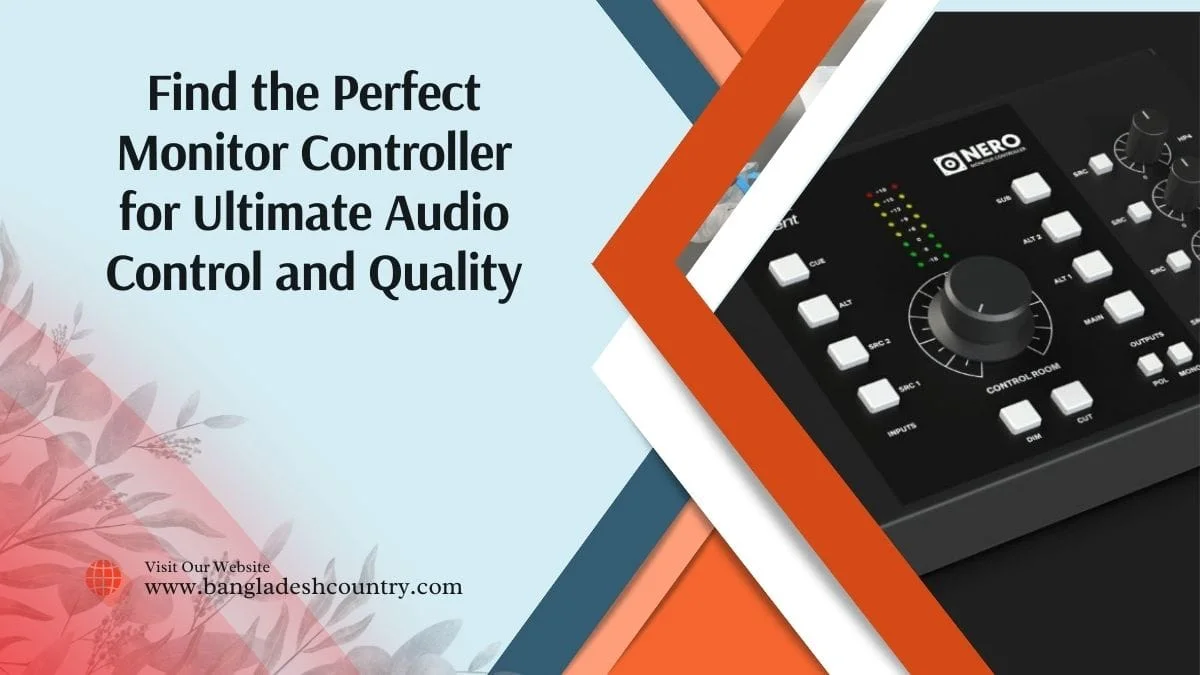
In any serious audio production environment, whether it’s a professional studio or a meticulously crafted home setup, the path from your digital audio workstation (DAW) to your ears is critical. It’s where your creative vision either shines with clarity or gets muddied by compromised signal flow. One often-underestimated component in this chain is the monitor controller. Far more than just a glorified volume knob, a robust monitor controller is the central nervous system for your listening environment, dictating how cleanly and accurately you hear your work. It’s the difference between making informed mixing decisions and perpetually guessing.
What is a Monitor Controller and Why Do You Need One?
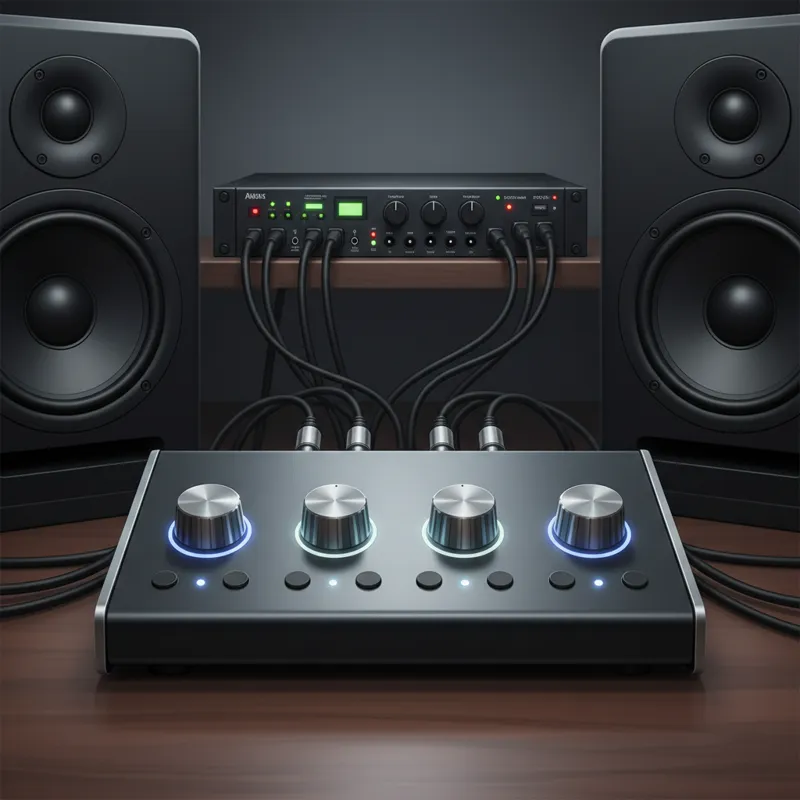
At its core, a monitor controller is an audio routing and control device that sits between your audio interface (or other playback sources) and your active studio monitors. It provides a dedicated, high-quality path for managing various aspects of your monitoring environment without altering the audio signal itself during critical listening. Think of it as the traffic cop for your studio’s audio signals, ensuring everything goes where it needs to, at the right level, and with minimal interference. You need a monitor controller primarily for precision and workflow. While many audio interfaces offer basic volume control and sometimes even multiple monitor outputs, a dedicated monitor controller significantly expands capabilities. It allows you to:
- Precisely Control Volume: Often with stepped attenuation for accurate, repeatable level settings. This is crucial for consistent mixing.
- Switch Between Multiple Speaker Pairs: Essential for checking mixes on different systems (e.g., nearfields, farfields, consumer-grade speakers) to ensure translation.
- Select Multiple Audio Sources: Seamlessly switch between your DAW output, a reference CD player, a secondary computer, or even a smartphone for comparison.
- Access Essential Monitoring Functions: These include mono sum (for checking phase and mono compatibility), dim (temporarily reducing volume), and mute (silencing output instantly).
- Integrate Talkback: Communicate with artists in the recording booth directly through your monitor system.
- Provide Dedicated Headphone Amplification: Often with multiple, high-quality headphone outputs and separate volume controls.
- Maintain Signal Integrity: A well-designed monitor controller uses high-quality components and circuitry to ensure the audio signal remains transparent and uncolored, preserving the fidelity of your mix.
Without a dedicated unit, you’re constantly adjusting software levels, physically re-cabling, or simply missing critical listening perspectives, leading to less accurate mixes and a slower workflow.
Key Features to Look for in a Monitor Controller
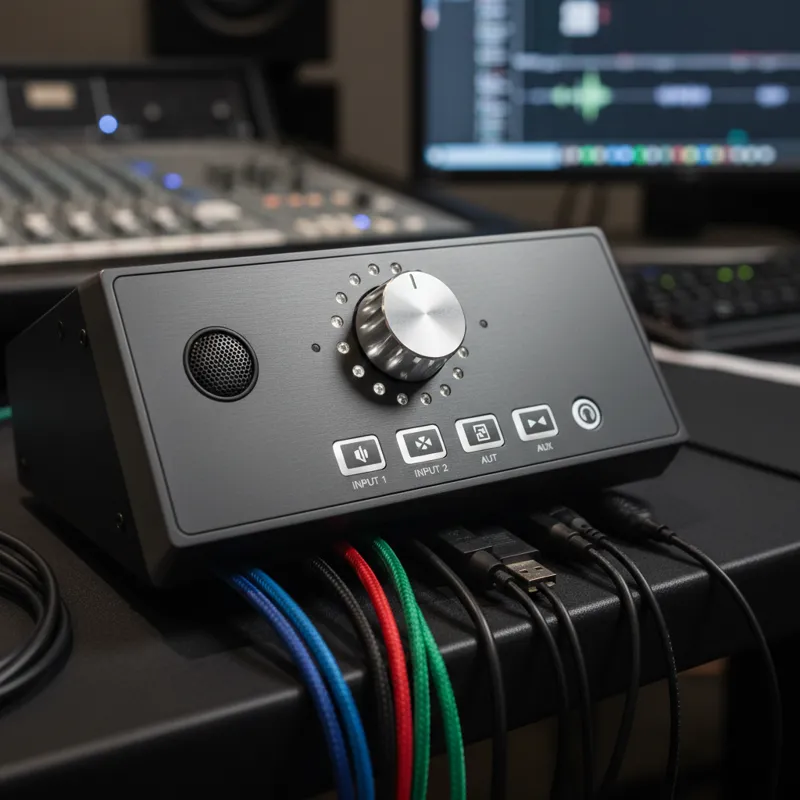
When evaluating monitor controllers, certain features stand out as essential for maximizing utility and sound quality. Understanding these will guide you toward a unit that truly enhances your workflow.
Volume Control & Attenuation
This is the most fundamental function. You’ll find two main types of volume attenuation:
- Continuously Variable (Potentiometer): Common in entry-level units, offering smooth adjustments. Quality can vary; cheaper potentiometers can introduce noise or channel imbalance, especially at lower volumes.
- Stepped Attenuator: Found in higher-end units, using discrete resistors for each volume step. This ensures perfect stereo imaging across all levels and repeatable settings, though adjustments feel less “smooth” due to the steps. For critical mixing, stepped attenuation is often preferred for its precision.
Input/Output Options
Consider how many devices you need to connect.
- Analog Inputs: XLR and TRS (balanced) are standard for connecting audio interfaces. RCA (unbalanced) inputs are useful for consumer devices.
- Digital Inputs: S/PDIF (coaxial or optical), AES/EBU, or USB inputs allow direct connection from digital sources, often bypassing your audio interface’s DAC for a potentially higher-quality conversion within the monitor controller itself.
- Speaker Outputs: Typically balanced XLR or TRS, allowing connection to multiple sets of active studio monitors.
- Subwoofer Output: A dedicated output for a subwoofer, often with bass management features.
- Headphone Outputs: Multiple independent headphone amplifiers with their own volume controls are invaluable for collaborative work.
Speaker Switching
The ability to switch between 2, 3, or even 4 sets of studio monitors is a workflow game-changer. This allows you to quickly reference your mix on different speaker types, revealing how it translates across various listening environments—from analytical nearfields to larger mains or even consumer-grade speakers.
Source Switching
Seamlessly switch between your primary DAW output, a dedicated DAC, an external media player, or even a different computer’s audio. This allows for quick A/B comparisons with reference tracks without needing to re-route cables or manage multiple software controls.
Talkback Function
For recording studios, a built-in talkback microphone and routing system are indispensable. This allows the engineer to easily communicate with musicians in the live room or vocal booth through their headphones. Look for a talkback mic with good clarity and a dedicated activation button.
Mono Sum, Dim, and Mute
These are non-negotiable professional features:
- Mono Sum: Combines the left and right channels into a single mono signal. Crucial for checking phase issues, ensuring your mix translates well to mono playback systems (like older car stereos or public address systems), and verifying overall balance.
- Dim: Reduces the monitor volume by a preset amount (e.g., -20dB) without altering the master volume setting. Perfect for quick conversations or momentarily lowering levels without losing your calibrated listening point.
- Mute: Instantly silences all speaker outputs. Essential for avoiding sudden loud noises or taking a quick break.
Built-in DAC (Digital-to-Analog Converter)
Some monitor controllers integrate a high-quality DAC. This can be a significant advantage if your audio interface’s DAC is not top-tier, or if you want to connect digital sources directly, bypassing your interface entirely for monitoring. A good DAC ensures transparent and accurate conversion of digital audio to analog for your speakers.
Metering
While not always present, some higher-end units offer visual level metering (e.g., LED ladders) for your output, providing a quick check on signal levels before they hit your speakers.
Passive vs. Active Monitor Controllers: What’s the Difference?
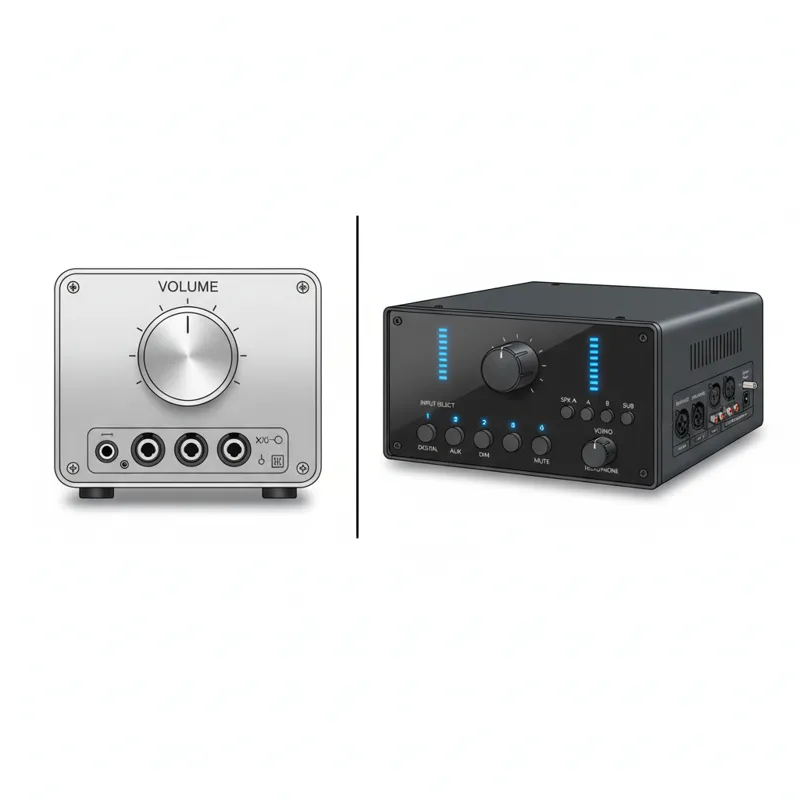
The distinction between passive and active monitor controllers is fundamental to understanding their impact on your audio signal. It boils down to whether the unit requires power and how it manages the signal path.
Passive Monitor Controllers
A passive monitor controller operates without any active electronic components (like amplifiers, op-amps, or power supplies) in the signal path. Its primary function is purely resistive attenuation. Essentially, it’s a very high-quality volume knob.Mechanistic Understanding:The signal enters the passive unit and is then attenuated (reduced in volume) by a resistor network, typically a potentiometer or a stepped attenuator. Since there are no active components, there’s no power required, and critically, no potential for active circuitry to introduce noise, distortion, or color the sound. The signal remains entirely analog and is simply reduced in level before being sent to your active speakers.Pros:
- Utmost Transparency: By design, passive units are celebrated for their sonic purity. They introduce virtually no coloration, noise, or distortion to the signal. What goes in is what comes out, just quieter.
- No Power Required: Simplifies setup and eliminates potential hum or ground loop issues associated with power supplies.
- Simplicity: Often very straightforward in design and operation.
Cons:
- Limited Features: Typically offers only volume control, possibly mute, and sometimes source/speaker switching. Features like talkback, multiple headphone amps, or digital inputs are absent.
- Impedance Matching: Poorly designed passive attenuators can sometimes lead to impedance issues, especially with very long cable runs or specific gear, potentially causing a slight loss of high-frequency detail or level, though this is rare with quality units.
- Lower Output Level: Cannot boost a signal; only attenuate it.
Passive controllers are excellent for minimalist setups where absolute transparency of just volume control is the priority, and you already have an audio interface handling other functions.
Active Monitor Controllers
An active monitor controller incorporates active electronic components that require power. This allows for a much wider array of features and capabilities, often including signal buffering, amplification, and complex routing.Mechanistic Understanding:The signal enters the active unit and immediately passes through active circuitry. This circuitry can buffer the signal (preventing impedance issues), amplify it, route it to multiple outputs, sum it to mono, process it for talkback, or convert it from digital to analog (if a DAC is included). Each of these functions requires power and active components. The quality of these components (op-amps, power supplies, DAC chips) directly impacts the sound quality.Pros:
- Feature-Rich: Offers comprehensive control over your monitoring environment, including multiple inputs/outputs, talkback, mono/dim/mute, headphone amps, and often a built-in DAC.
- Signal Buffering: Active circuitry can buffer the signal, maintaining consistent impedance and preventing signal degradation over longer cable runs.
- Potential for Higher Fidelity: With a high-quality integrated DAC, an active controller can offer superior digital-to-analog conversion compared to some audio interfaces.
- Flexibility: Provides more options for connecting diverse studio gear.
Cons:
- Potential for Coloration/Noise: Any active circuitry has the potential to introduce subtle coloration, noise, or distortion if the components are not high-quality or the design is compromised. A poorly designed active unit can actually degrade your sound.
- Requires Power: Needs an external power supply, which can be a source of noise if not well-designed.
- Complexity: More components mean more points of potential failure or signal degradation if not meticulously engineered.
For most modern studios, especially those with multiple sources, speakers, and the need for talkback or advanced features, an active monitor controller is the practical choice. The key is to invest in a unit from a reputable brand known for transparent audio design.
7 Best Monitor Controllers for Flawless Sound in 2026
In 2026, the monitor controller market offers an impressive array of options, catering to every budget and studio requirement. Our top picks focus on signal integrity, robust feature sets, and reliable performance across various professional scenarios.
1. Heritage Audio Baby RAM
The Baby RAM has quickly become a benchmark for high-end passive monitor control in compact formats. It’s an ideal choice for producers, engineers, and mixing artists who demand absolute transparency and have a minimalist approach to their signal chain.Key Features:
- Completely passive signal path.
- Precision stepped attenuator for master volume.
- Two stereo inputs (XLR/TRS combo and RCA).
- Two stereo outputs (XLR).
- Mute, Dim, and Mono buttons.
Connectivity: 2 x Stereo In, 2 x Stereo Out.Pros: Unrivaled sonic transparency; precise, repeatable volume adjustments; robust build quality.Cons: Passive design means no active features (talkback, headphone amps, DAC); higher price point for its feature set.Target User/Price: Professional engineers needing a transparent, minimalist passive solution. (Mid-to-High Range)
2. Audient Nero
The Audient Nero redefines the mid-range active monitor controller with a comprehensive feature set and Audient’s renowned clean audio path. It’s a workhorse for project and professional studios alike, offering impressive routing flexibility.Key Features:
- 4 stereo analog inputs (2 x line, S/PDIF, Aux).
- 3 stereo speaker outputs (XLR).
- Dedicated subwoofer output with flexible bass management.
- 4 headphone outputs, each with independent volume control and source selection.
- Talkback mic with routing options.
- Smart Touchpoints for custom routing presets.
- Mono, Dim, Cut (Mute).
Connectivity: 4 x Stereo In (analog/digital), 3 x Stereo Speaker Out, 1 x Sub Out, 4 x Headphone Out.Pros: Excellent feature set for its price; multiple high-quality headphone amps; flexible bass management; Audient’s clean preamps for talkback.Cons: A few users might prefer a dedicated DAC for the main monitoring path rather than relying on an external source for digital inputs.Target User/Price: Project and professional studios needing versatile routing and multiple headphone mixes. (Mid-Range)
3. SPL MTC Mk2 (Monitor & Talkback Controller Mk2)
SPL’s reputation for high-fidelity analog processing extends beautifully to the MTC Mk2. This active controller focuses on pristine audio quality and professional features without unnecessary frills, making it a favorite in high-end mixing and mastering environments.Key Features:
- SPL’s proprietary VOLTAIR technology for increased dynamic range and headroom.
- 3 stereo analog inputs (2 x XLR, 1 x RCA).
- 2 stereo speaker outputs (XLR) with trim pots.
- Dedicated mono output.
- Integrated talkback mic.
- High-quality headphone amplifier.
- Mono, Dim, Mute functions.
Connectivity: 3 x Stereo In, 2 x Stereo Speaker Out, 1 x Mono Out, 1 x Headphone Out.Pros: Exceptional audio quality with incredible detail and dynamic range; robust, reliable build; compact footprint.Cons: Limited digital input options; only one headphone output.Target User/Price: Engineers prioritizing pristine analog signal path and build quality for critical listening. (High-End Professional)
4. Dangerous Music D-BOX+
The D-BOX+ isn’t just a monitor controller; it’s a powerful combination of a monitor controller, sum mixer, and high-quality headphone amplifier. It’s designed to bridge the gap between in-the-box mixing and analog summing, elevating hybrid workflows.Key Features:
- Analog 8-channel summing mixer.
- High-fidelity stereo monitor controller.
- 2 stereo analog inputs (XLR, TRS) + USB input.
- Dedicated DAC for main monitor path (USB input).
- 2 stereo speaker outputs (XLR).
- 2 stereo headphone outputs with independent sources and volume.
- Talkback mic.
- Mono, Dim, Mute.
Connectivity: 2 x Stereo Analog In, 1 x USB In, 2 x Stereo Speaker Out, 2 x Headphone Out.Pros: Excellent sound quality for both monitoring and summing; integrated high-quality DAC; versatile for hybrid setups; multiple headphone mixes.Cons: High price point; the summing mixer might be overkill for purely in-the-box mixers.Target User/Price: Hybrid studio owners looking for summing, pristine monitoring, and a high-quality DAC. (High-End Professional)
5. PreSonus Monitor Station V2 (or V3 if released by 2026)
The PreSonus Monitor Station V2 continues to be a go-to choice for project studios, offering a feature-rich active solution at an accessible price. Assuming a V3 iteration for 2026, it would likely refine existing features and potentially add modern connectivity.Key Features (V2):
- 3 stereo analog inputs (2 x TRS, 1 x RCA).
- 3 stereo speaker outputs (TRS).
- Dedicated subwoofer output with level control.
- 4 high-quality headphone amplifiers with independent input selection and volume.
- Talkback mic with adjustable level.
- Mono, Dim, Mute.
- S/PDIF input (digital option).
Connectivity: 3 x Stereo Analog In, 1 x S/PDIF In, 3 x Stereo Speaker Out, 1 x Sub Out, 4 x Headphone Out.Pros: Excellent value for the feature set; multiple headphone outputs; robust routing options for a project studio.Cons: Not as transparent as higher-end units; power supply can be a source of hum if not properly managed.Target User/Price: Project studios and home recordists needing comprehensive monitoring control on a budget. (Entry-to-Mid Range)
6. Grace Design m905
The Grace Design m905 is an uncompromising reference monitor controller designed for the most critical listening environments, like mastering studios. It’s built for unparalleled transparency and detailed sonic reproduction.Key Features:
- Ultra-low distortion, high-current analog circuitry.
- Reference-grade AD/DA conversion.
- Multiple analog inputs (XLR, TRS, RCA) and digital inputs (AES3, S/PDIF, TOSLINK, USB).
- 3 stereo speaker outputs (XLR).
- Dedicated subwoofer output with sophisticated bass management.
- Audiophile-grade headphone amplifier.
- Comprehensive metering and talkback functionality.
- Remote control unit for ergonomic studio integration.
Connectivity: Numerous analog and digital inputs, 3 x Stereo Speaker Out, 1 x Sub Out, 1 x Headphone Out.Pros: State-of-the-art AD/DA conversion; exceptional transparency and dynamics; incredibly flexible and precise control; robust build.Cons: Very high price point; overkill for most project studios.Target User/Price: Mastering engineers and high-end professional studios demanding absolute sonic accuracy and comprehensive control. (Premium Professional)
7. Mackie Big Knob Passive
For those who truly need “just a volume knob” with input and speaker switching, the Mackie Big Knob Passive remains an incredibly popular and effective choice. It’s a simple, reliable, and cost-effective passive monitor controller.Key Features:
- Completely passive signal path.
- Large, tactile volume knob.
- 2 stereo analog inputs (TRS).
- 2 stereo speaker outputs (TRS).
- A/B speaker switching.
- Mono, Mute.
Connectivity: 2 x Stereo In, 2 x Stereo Out.Pros: Extremely affordable; entirely passive for maximum transparency (no active circuitry to color sound); very simple to operate; rugged build.Cons: No active features (no talkback, headphone amps, DAC); volume knob isn’t stepped, so less precise for repeatable settings.Target User/Price: Entry-level home studios or anyone needing a transparent volume attenuator with basic switching. (Entry-Level)
While discussing the quality of studio equipment, it’s worth noting how advancements in audio technology impact various electronics, including consumer devices like car stereos with Apple CarPlay. The pursuit of flawless sound extends beyond the studio, reflecting a universal demand for high-fidelity audio reproduction in all listening environments.
What Most People Get Wrong About Monitor Controllers
Despite their crucial role, monitor controllers are often misunderstood. Here’s what many people get wrong, and why understanding these points can drastically improve your monitoring:
1. “It’s Just a Volume Knob.”
This is the most common misconception. While volume control is central, a quality monitor controller offers much more: pristine signal routing, source selection, speaker switching, mono sum, dim, mute, talkback, and often high-quality headphone amplification. These features are about control, flexibility, and ensuring you can make informed decisions about your mix without compromise. Relying solely on software volume or an interface’s basic knob often means sacrificing precision and utility.
2. “A Cheap One Is Fine; It Won’t Affect Sound.”
This is a dangerous assumption. Any component in your audio chain, especially one that processes the signal at the end before it hits your speakers, can degrade sound quality. A poorly designed active monitor controller can introduce noise, distortion, frequency coloration, or poor stereo imaging due to subpar components, power supplies, or impedance mismatches. Even passive units, if poorly constructed, can suffer from channel imbalance or signal degradation. Investing in a reputable monitor controller is investing in transparent monitoring, which is fundamental to accurate mixing.
3. “My Audio Interface Does Everything a Monitor Controller Does.”
While many audio interfaces include basic monitor outputs and a master volume knob, they rarely offer the comprehensive feature set of a dedicated monitor controller. Interfaces are primarily designed for AD/DA conversion, mic preamps, and basic I/O. They might have a single headphone out, no talkback, limited speaker switching, or a less robust volume attenuator. A dedicated monitor controller offloads these crucial monitoring tasks, often with superior components, freeing up your interface to focus on its core functions.
4. “I Can Just Control Volume in My DAW.”
Controlling volume in your DAW is convenient, but it’s generally not recommended for your primary listening level adjustment. Why?
- Bit Depth Reduction: Digital volume reduction, especially at very low levels, can reduce the effective bit depth of your audio, leading to a subtle loss of resolution and dynamic range.
- No Analog Attenuation: Software volume doesn’t attenuate the signal before it hits your audio interface’s DAC or your active monitors’ inputs, which can mean your DAC or speaker inputs are still receiving a full-level signal, potentially introducing noise or distortion at that stage if not properly gain-staged.
- Lack of Physical Control: A tactile, high-quality knob offers immediate, precise control that a mouse or keyboard shortcut simply can’t match, especially during critical listening.
Proper gain staging involves getting a healthy signal into your DAW, mixing at optimal levels, and then using a high-quality analog attenuator (your monitor controller) to adjust the final listening volume.
5. “It Will Color My Sound.”
This is a concern, especially with active controllers, but a well-designed monitor controller aims for precisely the opposite: to be as transparent as possible. Reputable brands go to great lengths to ensure their circuits are neutral, adding no coloration or unwanted artifacts. Passive units inherently offer the highest transparency for volume control. The goal is a device that presents your mix exactly as it is, without enhancement or degradation.
Choosing the Right Monitor Controller for Your Setup
Selecting the ideal monitor controller involves a practical assessment of your current and future needs. Don’t just pick the most expensive or feature-packed unit; choose one that genuinely fits your workflow and budget.
1. Assess Your Budget
Monitor controllers range from under $100 to several thousand dollars. Be realistic about what you can afford.
- Entry-level (Under $200): Often passive, offering basic volume and speaker switching (e.g., Mackie Big Knob Passive). Great for simple setups.
- Mid-range ($200-$700): Active units with more features like multiple inputs/outputs, headphone amps, talkback, and sometimes a basic DAC (e.g., Audient Nero, PreSonus Monitor Station). Ideal for project studios.
- Professional ($700+): High-end active units with pristine audio paths, reference-grade DACs, extensive routing, and advanced features (e.g., SPL MTC Mk2, Dangerous D-BOX+, Grace Design m905). Designed for critical mixing, mastering, or complex post-production.
2. Determine Your Input/Output Needs
- How many audio sources do you use? (DAW, external DAC, CD player, synth, media player). Ensure the controller has enough inputs and the right connector types (XLR, TRS, RCA, S/PDIF, USB).
- How many pairs of studio monitors do you have or plan to acquire? Most studios benefit from at least two pairs (A/B switching). Some need three or more, plus a subwoofer output.
- Do you need to connect analog gear? If you have external hardware like compressors or EQs, you might need insert points on some higher-end controllers, though this is less common for monitor controllers and more for studio routing matrices.
3. Consider Talkback and Headphone Amplification
If you record musicians, a built-in talkback mic is invaluable. If multiple people often listen in your studio, multiple independent headphone outputs are a huge convenience. The quality of built-in headphone amps varies greatly; some dedicated units rival standalone headphone amps.
4. Decide on Analog vs. Digital Inputs/DAC
If your audio interface’s DAC isn’t stellar, or if you want to bypass it for monitoring digital sources directly, a monitor controller with a high-quality integrated DAC (like the Dangerous D-BOX+ or Grace Design m905) can be a significant upgrade. Otherwise, a purely analog unit is perfectly fine if your interface handles the conversion.
5. Evaluate Signal Path & Transparency
For critical work, the transparency of the signal path is paramount.
- Passive: Offers the purest signal path for volume attenuation but lacks features.
- Active: Allows for more features but relies on high-quality components to maintain transparency. Look for units from reputable audio companies known for clean, neutral designs.
Always prioritize units that maintain the integrity of your audio, ensuring you hear your mix as accurately as possible. For those meticulously maintaining their studio equipment, or even considering the comprehensive care packages for other high-value assets, like exploring Audi care benefits, the principle of preservation and optimal performance applies universally.
6. Ergonomics and Workflow Integration
A monitor controller should enhance, not hinder, your workflow.
- Physical layout: Is the volume knob prominent and easy to grab? Are the buttons clearly labeled and logically placed?
- Remote control: Some high-end units come with a desktop remote, freeing up space and putting controls right at your fingertips.
- Footprint: How much space does it take up on your desk?
The right monitor controller should feel like a natural extension of your studio, allowing you to focus on the music, not the hardware. Thinking about investments in studio gear sometimes reminds one of the considerations around larger financial assets, such as what to do when you need to trade in a financed car—it’s about making the most informed decision for your long-term needs.
Frequently Asked Questions (FAQ)
Do I really need a monitor controller if I have an audio interface?
Yes, most likely. While your audio interface provides basic volume control and outputs, a dedicated monitor controller offers superior features like multiple speaker switching, input source selection, mono sum, dim, mute, and often higher-quality headphone amps and talkback. These functions are critical for an efficient and accurate mixing workflow that interfaces typically can’t match.
Can I just use software volume control in my DAW?
You can, but it’s generally not recommended for critical listening. Digital volume attenuation, especially at very low levels, can reduce the bit depth and resolution of your audio signal. A high-quality analog monitor controller provides physical, transparent volume control after your interface’s DAC, preserving signal integrity and offering more precise, repeatable adjustments.
Does a monitor controller affect sound quality?
Yes, it can. A well-designed monitor controller aims to be completely transparent, adding no coloration, noise, or distortion to your audio. However, a poorly designed or cheap active unit can degrade your sound with inferior components or power supplies. Passive controllers are known for their transparency but lack active features. Investing in a reputable brand is key to ensuring your monitor controller doesn’t compromise your sound.
What’s the difference between active and passive monitor controllers?
Passive controllers operate without power and active electronic components, offering extremely transparent volume attenuation but no other features. Active controllers require power and use active circuitry to provide a broader range of features like multiple inputs/outputs, talkback, and headphone amps. Active units can be highly transparent if well-designed.
What’s a good budget for a monitor controller?
For basic home studios, you can find good passive options under $200. Project studios often benefit from mid-range active controllers in the $200-$700 range, offering a balance of features and quality. Professional and mastering studios will often invest $700+ in high-end units with reference-grade components and advanced routing. Your budget should align with the complexity and criticality of your audio work.
The monitor controller is the unsung hero of many studios, providing the control and clarity necessary to make informed decisions about your sound. By understanding its role, the key features, and the differences between active and passive designs, you can select a unit that elevates your monitoring experience. Whether you opt for the pristine transparency of a passive attenuator or the comprehensive feature set of an advanced active controller, investing in a quality monitor controller is an investment in the accuracy and ultimately, the quality of your finished audio.