

Setting up your home internet connection should be a straightforward process, but getting your modem activated can sometimes feel like a hurdle. If you’re a Spectrum customer in the United States looking to get your service up and running, especially with a modem you’ve sourced yourself, understanding the activation procedure is key to unlocking fast, reliable internet. This guide, current for 2026, will walk you through the precise steps to connect and activate your Spectrum modem, helping you avoid common pitfalls and get online swiftly, whether you’re a seasoned tech enthusiast or simply looking for clear instructions.
Why Self-Activate Your Spectrum Modem?
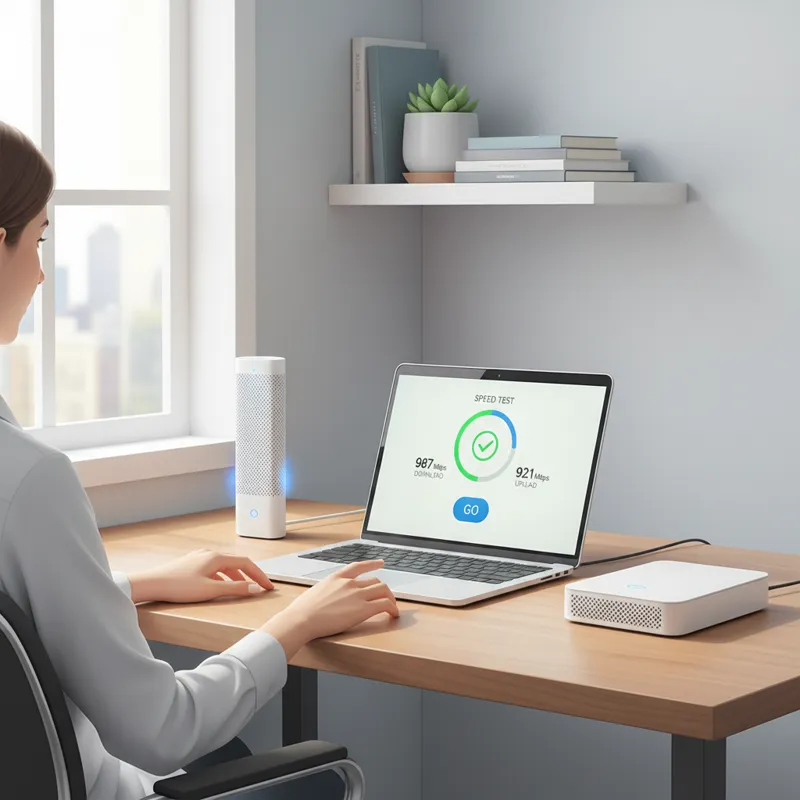
Choosing to self-activate your Spectrum modem offers several practical advantages. Primarily, it grants you immediate control over your internet setup, allowing you to bypass scheduling a technician visit and the associated wait times. For many, this translates to getting connected the same day they receive their equipment or move into a new place. Furthermore, if you’ve opted to use your own compatible modem rather than one provided by Spectrum, self-activation is the standard procedure to register that device with their network. This choice often comes with benefits like avoiding monthly rental fees and potentially having more control over your networking hardware. By understanding the process, you’re empowered to manage your home network efficiently and troubleshoot minor issues independently, saving both time and potential service charges.
Essential Equipment Checklist Before You Begin
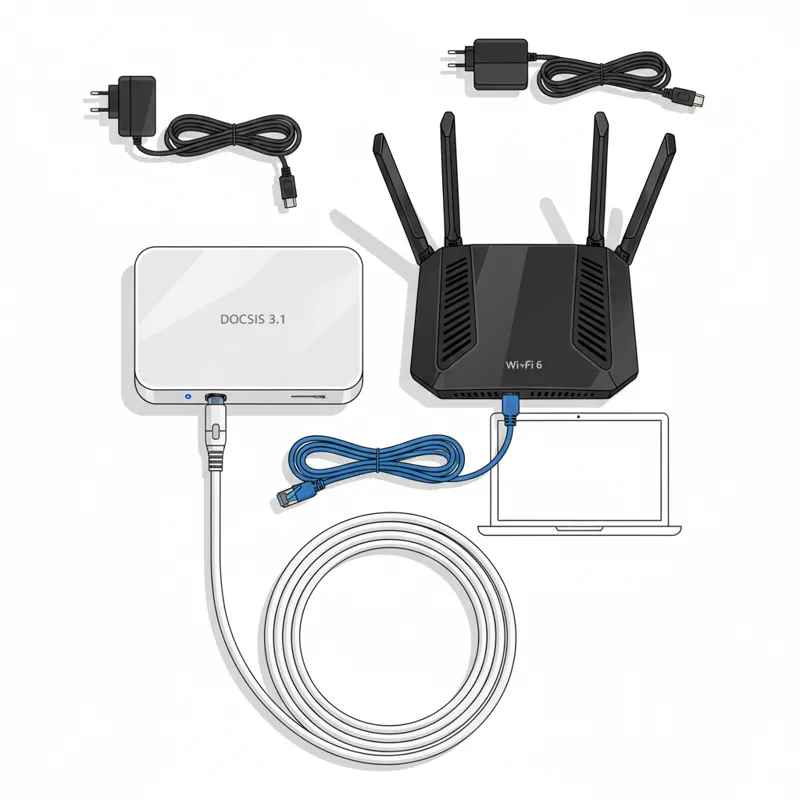
Before you even think about connecting anything, ensure you have all the necessary components. A complete setup will make the activation process smooth and prevent frustrating delays.
Compatible Modem
This is non-negotiable. If you’re using your own modem, it absolutely must be compatible with Spectrum’s service. Spectrum primarily uses DOCSIS (Data Over Cable Service Interface Specification) technology. In 2026, DOCSIS 3.1 is the widely recommended standard for optimal performance, especially for gigabit-tier services. Using an outdated DOCSIS 3.0 modem might work for lower speed tiers, but it won’t deliver the full potential of Spectrum’s network and could lead to slower speeds and connection instability. Always check Spectrum’s official website for their latest list of approved modems.
Compatible Router (if separate)
While some modems come with integrated Wi-Fi (often called a modem/router gateway), many users prefer a separate router for enhanced features, better Wi-Fi coverage, or more control. Ensure your router supports the speeds your internet plan offers. For example, a Wi-Fi 6 or Wi-Fi 6E router is standard for new setups in 2026, providing superior wireless performance compared to older Wi-Fi 5 (802.11ac) models.
Coaxial Cable
This cable carries the internet signal from your wall outlet to your modem. Use a high-quality RG6 coaxial cable. Older, thinner RG59 cables can introduce signal loss and interfere with your connection speed and reliability. Always opt for the shortest practical length to minimize signal degradation.
Ethernet Cable
You’ll need at least one Ethernet cable to connect your modem to your router, or your modem directly to a computer for the initial activation. Cat5e or Cat6 cables are standard and provide reliable gigabit speeds. Ensure your cables are in good condition; frayed or damaged cables can cause intermittent connectivity.
Power Adapters
Each device – your modem and your router – will require its own power adapter. Use only the adapters that came with your equipment. Using incorrect adapters can damage your devices or prevent them from functioning correctly.
Spectrum Account Information
Keep your Spectrum account number and the primary account holder’s contact information (phone number, email) handy. You’ll need these to log in to the activation portal or speak with a support representative.
Step-by-Step Guide: How to Connect Your Modem for Spectrum Service
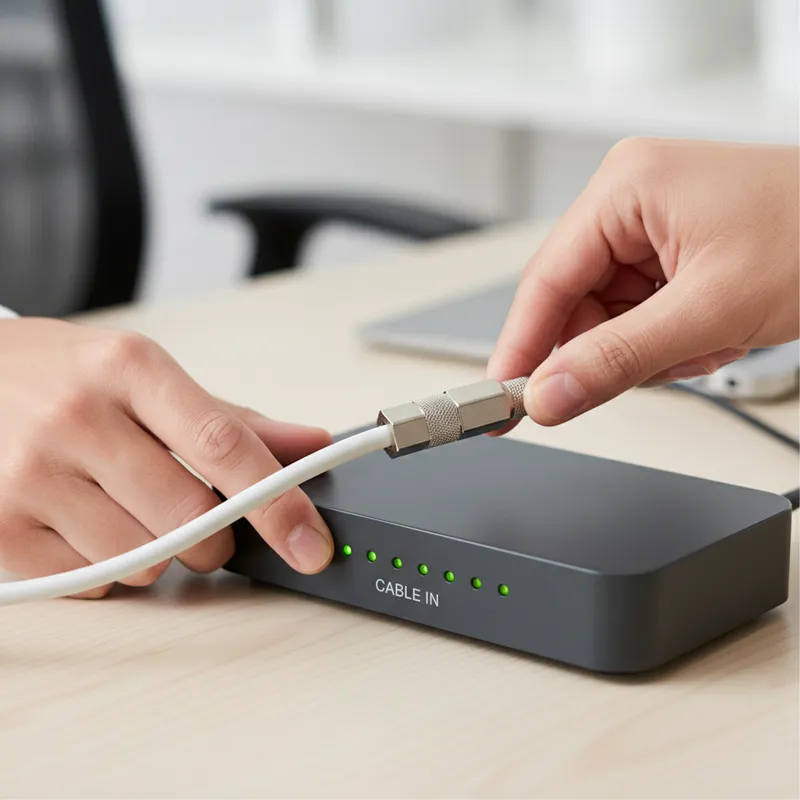
Connecting your hardware correctly is the foundational step for a successful activation. Follow these instructions precisely.
Step 1: Unpack and Place Your Modem
Remove your modem from its packaging. Choose a central location in your home, if possible, where the coaxial cable connection is readily available. Avoid enclosed spaces, direct sunlight, or areas near large metallic objects or major appliances that might interfere with signals, much like how you’d carefully consider the placement of a reliable appliance like a Hot Point washer to optimize its performance and longevity. Ensure there’s good airflow around the modem to prevent overheating.
Step 2: Connect the Coaxial Cable
Locate the coaxial wall outlet. This is typically a circular port. Screw one end of your coaxial cable securely onto this wall outlet. Then, connect the other end of the coaxial cable to the “Cable In” or “RF In” port on the back of your modem. Hand-tighten these connections; avoid over-tightening with tools, as this can damage the ports.
Step 3: Power Up Your Modem
Connect the modem’s power adapter to the power port on the back of the modem. Plug the other end of the power adapter into an active electrical outlet. Avoid using surge protectors or power strips for the initial setup if possible, as some can introduce signal issues. Plug directly into the wall to rule out any power strip-related problems.
Step 4: Observe Indicator Lights
Once powered on, your modem will begin its startup sequence. This can take several minutes (5-10 minutes is common). Watch the indicator lights on the front of the modem. You’re typically looking for lights related to power, downstream (DS), upstream (US), and online/internet status.
- Power Light: Should be solid green.
- Downstream (DS) & Upstream (US) Lights: These will blink initially, then become solid (often blue for DOCSIS 3.1, green for DOCSIS 3.0), indicating a successful connection with Spectrum’s network.
- Online/Internet Light: This light should also turn solid (often green or blue), signifying that your modem has established an internet connection and received an IP address. Do not proceed until the online/internet light is solid. If it remains blinking or off after 10-15 minutes, there’s a signal issue, and you’ll need to troubleshoot before attempting activation.
Step 5: Connect Your Router (if applicable)
If you’re using a separate Wi-Fi router, connect one end of an Ethernet cable to the “LAN” or “Ethernet 1” port on your modem. Connect the other end of that Ethernet cable to the “WAN” or “Internet” port on your Wi-Fi router. Then, power on your router. Just like with the modem, allow your router a few minutes to boot up and establish its own connection lights (usually an internet light and Wi-Fi lights).
Step 6: Connect a Device for Activation
For the most reliable activation experience, connect a computer directly to your router (if using one) or modem (if it’s a modem-only device) using an Ethernet cable. This bypasses any potential Wi-Fi issues during activation. If connecting to a modem-only device, remember that you’ll typically only have one active Ethernet port for activation.
The Spectrum Activate Modem Process: Online Self-Service
With your equipment connected and the modem’s online light solid, you’re ready to activate your Spectrum service. The online self-service portal is the quickest and most common method.
Accessing the Activation Portal
Open a web browser on the computer connected to your modem/router. In many cases, simply opening any website (e.g., Google.com) will automatically redirect you to the Spectrum activation portal (activate.spectrum.net). If it doesn’t, manually type `activate.spectrum.net` into your browser’s address bar and press Enter.
Inputting Account Details
The portal will prompt you to enter your Spectrum account number, phone number, or other identifying information associated with your account. Input these details carefully. This information verifies your identity and links your modem to your service plan.
Modem Registration
Next, you’ll typically be asked to enter the MAC address (also known as the HFC MAC ID or CMAC) of your modem. This unique identifier is usually printed on a sticker on the bottom or back of your modem. It’s a series of 12 alphanumeric characters (e.g., A1:B2:C3:D4:E5:F6). Double-check every character to avoid errors. This step is critical; it’s how Spectrum recognizes your specific device on their network. If you’re using a Spectrum-provided modem, this step might be automated or simplified.
Finalizing Activation
Once you’ve entered the necessary information, follow the on-screen prompts to complete the activation. The system will register your modem and provision your service. This process can take anywhere from a few minutes to about 15-20 minutes. Your modem might reboot once or twice during this time. Once complete, the portal will confirm successful activation. You should then be able to browse the internet normally.
What to Do If Online Activation Fails: Phone Activation & Troubleshooting
Sometimes, the online self-activation portal might encounter an issue, or you might prefer to speak to a representative. Don’t worry; phone activation is a reliable alternative.
Preparing for a Support Call
Before calling Spectrum support, ensure you have:
- Your Spectrum account number.
- The modem’s MAC address (again, double-check it).
- The modem’s model and serial number.
- Your phone or another device ready to connect via Ethernet to test the connection once activated.
- Be physically near your modem and computer so you can follow instructions and describe indicator lights.
Direct Phone Activation Steps
Call Spectrum’s activation line. In 2026, their primary activation number is often 1-833-267-6094, but you can always find the most current number on their official website.1. Identify Yourself: Provide your account details to the representative.2. State Your Intent: Clearly explain that you are attempting to activate a modem. Specify if it’s a Spectrum-provided modem or your personal modem.3. Provide Modem Details: Give the representative the MAC address, model, and serial number of your modem.4. Follow Instructions: The representative will remotely attempt to provision your modem. They may ask you to describe the lights on your modem, reboot your modem, or perform other basic troubleshooting steps.5. Test Connection: Once the representative confirms activation on their end, test your internet connection on your computer.
Troubleshooting Common Spectrum Modem Activation Issues
Encountering issues during activation is common. Here’s how to diagnose and address some of the most frequent problems.
No Power Lights
- Check Power Outlet: Ensure the outlet is live. Test it with another device.
- Check Power Adapter: Verify the adapter is fully plugged into both the modem and the outlet.
- Try a Different Outlet: If available, switch to another known-good electrical outlet.
Only Power Light is On
- No Signal: This usually indicates your modem isn’t receiving a signal from Spectrum’s network.
- Check Coaxial Connections: Ensure the coaxial cable is securely screwed into both the wall outlet and the modem.
- Bypass Splitters: If you have a coaxial splitter, try connecting the modem directly to the wall outlet. Splitters can degrade signal quality.
- Check for Outages: There might be a local service outage. Check Spectrum’s outage map online or call customer service from your mobile phone.
DSL/Cable/Online Light Blinking or Off
- Modem Not Synced: This means the modem hasn’t successfully locked onto the downstream and upstream frequencies.
- Reboot Modem: Unplug the modem’s power for 30 seconds, then plug it back in. Wait 5-10 minutes for it to re-sync.
- Check Coaxial Cable: A loose or damaged coaxial cable is a common culprit. Ensure it’s finger-tight and in good condition. Consider replacing an old or frayed cable.
- Wall Outlet Issue: The coaxial wall outlet itself might be inactive or faulty. If you have multiple outlets, try another one.
Unable to Access Activation Portal
- Direct Connection: Ensure your computer is connected via Ethernet directly to the modem or router, not wirelessly.
- Clear Browser Cache: Try clearing your browser’s cache and cookies, or use an incognito/private browsing window.
- Router Issues: If using a separate router, try connecting your computer directly to the modem’s Ethernet port. This helps determine if the issue is with the modem’s connection or the router’s configuration.
- Correct URL: Double-check that you’re typing `activate.spectrum.net` correctly.
“Modem Not Found” Error During Online Activation
- Incorrect MAC Address: The most common reason. Carefully re-enter the MAC address, paying close attention to each character. It’s often printed on a sticker on the bottom or back of the modem.
- Modem Not Online: Ensure your modem’s online light is solid. If it’s still blinking, the modem hasn’t established a connection, and Spectrum’s system won’t be able to “see” it.
- Not a Spectrum-Compatible Modem: Verify your modem is on Spectrum’s approved list. If not, it simply won’t work.
Slow Speeds After Activation
- Modem Model: Is your modem capable of your plan’s speeds? An older DOCSIS 3.0 modem might bottleneck a gigabit plan.
- Router Performance: Is your router limiting speeds? Check its specifications, especially for Wi-Fi standards (Wi-Fi 6/6E is optimal in 2026) and Ethernet port speeds (Gigabit Ethernet is required).
- Ethernet Cable: Ensure you’re using Cat5e or Cat6 cables.
- Signal Strength: Poor signal quality to the modem can cause slow speeds. This often requires a Spectrum technician to resolve, but ensuring direct coaxial connection without splitters is a good first step.
- Network Congestion: While less common, heavy network usage in your area during peak hours can sometimes impact speeds.
Things People Usually Miss (or “What most people get wrong”)
Successfully activating your Spectrum modem isn’t just about following steps; it’s also about avoiding subtle errors that can derail the process or degrade performance.
Modem Compatibility Misconceptions
Many users assume “any” modem will work. This isn’t true. Spectrum maintains a list of approved modems. Using a modem not on this list can lead to activation failures, inconsistent service, or inability to achieve advertised speeds. Always cross-reference your modem’s model number with Spectrum’s latest compatibility documentation. The hardware needs to communicate effectively with their infrastructure, much like how discerning collectors seek out the 5 ultimate Hot Wheels Supra models, understanding that specific models are engineered for peak performance and compatibility within their ecosystem.
Using Old Cables
Often, people will reuse old coaxial cables, especially those that have been lying around or were previously used for basic cable TV. These older cables, particularly RG59, might not meet the specifications required for high-speed internet. They can introduce signal loss and interference, leading to slower speeds or intermittent connections. Always use new, high-quality RG6 coaxial cables. The same applies to Ethernet cables; ensure they are Cat5e or Cat6 for optimal performance.
Overlooking Splitters
Coaxial splitters degrade the signal. If you have a splitter dividing the signal to your modem and, say, a TV, it might be reducing the signal quality to your modem below acceptable levels. For initial activation and optimal performance, connect your modem directly to the wall outlet whenever possible. If a splitter is unavoidable, use a high-quality, two-way splitter specifically designed for broadband internet.
Incorrect Router Setup
After activating the modem, users sometimes rush the router setup, connecting Ethernet cables to the wrong ports (e.g., connecting the modem to a LAN port on the router instead of the WAN/Internet port). This prevents the router from getting an internet connection. Always connect the modem to the router’s dedicated “WAN” or “Internet” port.
Firmware Updates
While not strictly an activation issue, modem firmware is crucial for performance and security. Spectrum typically pushes firmware updates automatically to their own modems. If you’re using a personal modem, these updates are usually handled by Spectrum as well. However, if you suspect an issue related to outdated firmware (e.g., new speed tiers not supported), it’s worth checking if your modem model has specific update requirements.
Choosing the Right Modem for Spectrum: A 2026 Perspective
In 2026, selecting the right modem, especially if you’re purchasing your own, is about future-proofing your home network and ensuring you can fully utilize Spectrum’s service.
DOCSIS 3.1: The Standard for Performance
For any internet plan 100 Mbps or higher, and certainly for gigabit and multi-gigabit tiers, a DOCSIS 3.1 modem is virtually mandatory. This standard offers greater efficiency, better error correction, and the capacity for much higher upload and download speeds compared to its predecessor, DOCSIS 3.0. While some DOCSIS 3.0 modems can still handle speeds up to 400 Mbps, they are rapidly becoming obsolete for anything beyond basic plans. Investing in a DOCSIS 3.1 modem ensures you’re ready for current and future speed upgrades. You can read more about DOCSIS technology on Wikipedia.
Spectrum-Owned vs. Personal Modem
Spectrum typically offers you the option to lease a modem for a monthly fee or use your own compatible modem.
- Spectrum-Owned Modem: This is the simplest option. Spectrum guarantees compatibility, handles firmware updates, and replaces the modem if it fails. The downside is the recurring rental fee.
- Personal Modem: Buying your own modem can save you money in the long run by eliminating rental fees. You also gain more control over your equipment. The trade-off is that you’re responsible for selecting a compatible model, troubleshooting hardware issues, and ensuring it meets Spectrum’s requirements.
Wi-Fi 6E / Wi-Fi 7 Considerations (if using a gateway)
If you opt for a modem/router gateway (a single device that combines both functions), ensure its Wi-Fi capabilities match your needs. In 2026, Wi-Fi 6E is widespread, offering improved performance on the 6 GHz band, while Wi-Fi 7 (802.11be) is emerging, bringing even greater speeds and lower latency. If you have many Wi-Fi 6E or Wi-Fi 7-compatible devices, choosing a gateway with these standards will significantly enhance your wireless experience. Otherwise, a separate DOCSIS 3.1 modem paired with a dedicated Wi-Fi 6E or Wi-Fi 7 router often offers the most flexibility and performance.
Maximizing Your Internet Speed Post-Activation
Once your Spectrum Activate Modem process is complete, and you’re confidently online, don’t stop there. A few best practices can help you squeeze every bit of performance out of your connection.
Router Placement and Optimization
If you’re using a separate Wi-Fi router, its placement significantly impacts your wireless coverage and speed. Place your router centrally in your home, elevated, and away from obstructions, large metal objects, and other electronics that can cause interference. Many routers come with companion apps that help optimize settings, including channel selection, to reduce interference from neighboring networks.
Ethernet vs. Wi-Fi
For devices that demand consistent, high speeds (gaming consoles, desktop PCs, streaming boxes), a wired Ethernet connection will always outperform Wi-Fi. Ethernet provides lower latency and more stable bandwidth. Use Wi-Fi for mobile devices where convenience outweighs the need for peak performance.
Regular Speed Tests
Periodically run speed tests (e.g., using Spectrum’s official speed test or other reputable services) to monitor your internet performance. Compare your results against your subscribed plan’s speeds. If you consistently see lower-than-expected speeds, it can be an indicator of an issue with your equipment, internal home wiring, or a potential problem on Spectrum’s network. Consistent monitoring can help you identify and address issues promptly. Getting a sense of the intense experience of a truly fast connection can be almost as satisfying as the initial burst of flavor from a Red Hots candy.
Frequently Asked Questions (FAQ)
Can I use any modem with Spectrum?
No, you cannot. Spectrum maintains a list of approved modems that are compatible with their network. Always check their official website for the most current list before purchasing your own modem. Using an unapproved modem will likely result in activation failure or poor performance.
How long does Spectrum modem activation take?
The online self-activation process typically takes 5-20 minutes, including the modem’s boot-up sequence and the registration steps. If you need to call customer support for activation, the call itself might take longer, but the provisioning process on their end is often quick.
What if I have an older modem?
If your modem is DOCSIS 3.0, it might still work for lower-speed Spectrum plans (e.g., 100-200 Mbps). However, for faster plans (400 Mbps, Gig, or Multi-Gig), a DOCSIS 3.1 modem is required for optimal performance and future compatibility. Older modems can become a bottleneck, preventing you from receiving your full subscribed speed.
Do I need a separate router?
Not necessarily. Spectrum offers modem/router gateways (all-in-one devices) that provide both internet connectivity and Wi-Fi. However, many users prefer a separate modem and router for greater control, better performance, and the ability to upgrade components independently. If you use a modem-only device, you absolutely need a separate Wi-Fi router to create a wireless network.
What’s the best way to contact Spectrum support?
For activation issues, the dedicated activation phone line (often 1-833-267-6094) is usually the quickest route if online self-activation fails. For general support, you can call their main customer service number, use their online chat service, or visit a Spectrum store. Always have your account information and modem details ready.