
In 2026, a fast, reliable internet connection isn’t a luxury; it’s a fundamental utility. Whether you’re working remotely, streaming 4K content, engaging in online gaming, or simply connecting a growing array of smart home devices, your internet gateway is the nerve center of your digital life. For millions of Xfinity subscribers across the United States, that gateway is often the Xfinity xFi Advanced Gateway, more commonly known as the Xb7 Modem. While newer models like the Xb8 exist, the Xb7 remains a prevalent and highly capable piece of hardware, a true workhorse designed to deliver lightning-fast internet speeds for most households. Understanding its capabilities, limitations, and how to optimize it is crucial for getting the most out out of your Xfinity service.
Understanding the Xb7 Modem: A Technical Overview
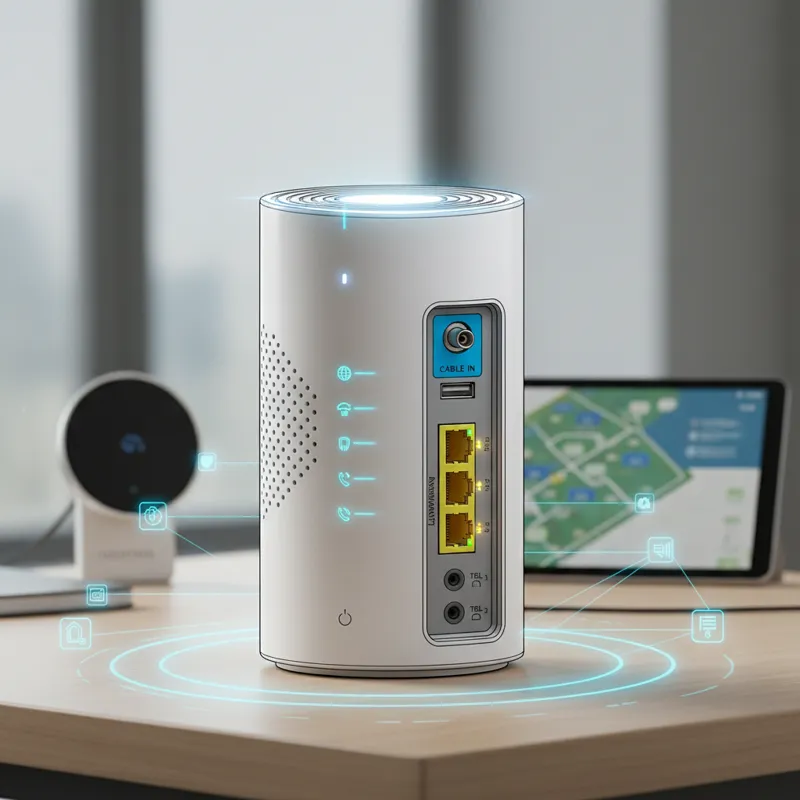
The Xb7 Modem isn’t just a modem; it’s an integrated modem-router combo, often referred to as a gateway. It acts as the bridge between Comcast’s coaxial cable network and your home’s local area network (LAN), converting the internet signal into a format your devices can use and then distributing it via both wired Ethernet and wireless Wi-Fi. It was a significant upgrade for many Xfinity customers, primarily due to its support for key technologies that define modern high-speed internet. At its core, the Xb7 leverages DOCSIS 3.1 technology. This is the latest iteration of the Data Over Cable Service Interface Specification, a telecommunications standard that permits the addition of high-bandwidth data transfer to an existing cable TV system. DOCSIS 3.1 enables significantly higher downstream and upstream capacities compared to its predecessor, DOCSIS 3.0. It achieves this through technologies like Orthogonal Frequency-Division Multiplexing (OFDM) and Orthogonal Frequency-Division Multiple Access (OFDMA), which more efficiently utilize spectrum and reduce latency, particularly on busy networks. For an in-depth understanding of how these standards evolve, you can consult resources like Wikipedia’s entry on DOCSIS. This technological backbone allows the Xb7 Modem to handle gigabit-level internet plans and beyond, serving as a robust foundation for multi-gigabit services offered by Xfinity in 2026. Beyond its modem capabilities, the Xb7 integrates a powerful Wi-Fi 6 (802.11ax) router. Wi-Fi 6 is not just about raw speed; it’s about efficiency and performance in dense network environments. Where older Wi-Fi standards struggled when many devices were connected simultaneously, Wi-Fi 6 excels. Key advancements include:
- OFDMA (Orthogonal Frequency-Division Multiple Access): This allows the router to communicate with multiple devices at once on a single channel, similar to how DOCSIS 3.1 uses it. It’s like having multiple delivery trucks on the same road, each carrying packages for different houses, rather than one truck making multiple trips.
- MU-MIMO (Multi-User, Multiple-Input, Multiple-Output): While present in earlier Wi-Fi 5, Wi-Fi 6 enhances MU-MIMO to support more simultaneous upstream and downstream connections, meaning the router can talk to more devices at once, both sending and receiving data.
- 1024-QAM (Quadrature Amplitude Modulation): This packs more data into each signal, leading to higher theoretical peak speeds.
- Target Wake Time (TWT): This is a power-saving feature. Devices can schedule when they need to wake up and send/receive data, allowing them to remain in a sleep state longer, conserving battery life for smartphones and smart home gadgets.
These Wi-Fi 6 features collectively ensure that your Xb7 Modem can provide a stable, high-speed wireless connection to numerous devices concurrently without significant slowdowns, a common scenario in modern smart homes.
Unleashing Speed: What ‘Lightning-Fast’ Actually Means for Your Home
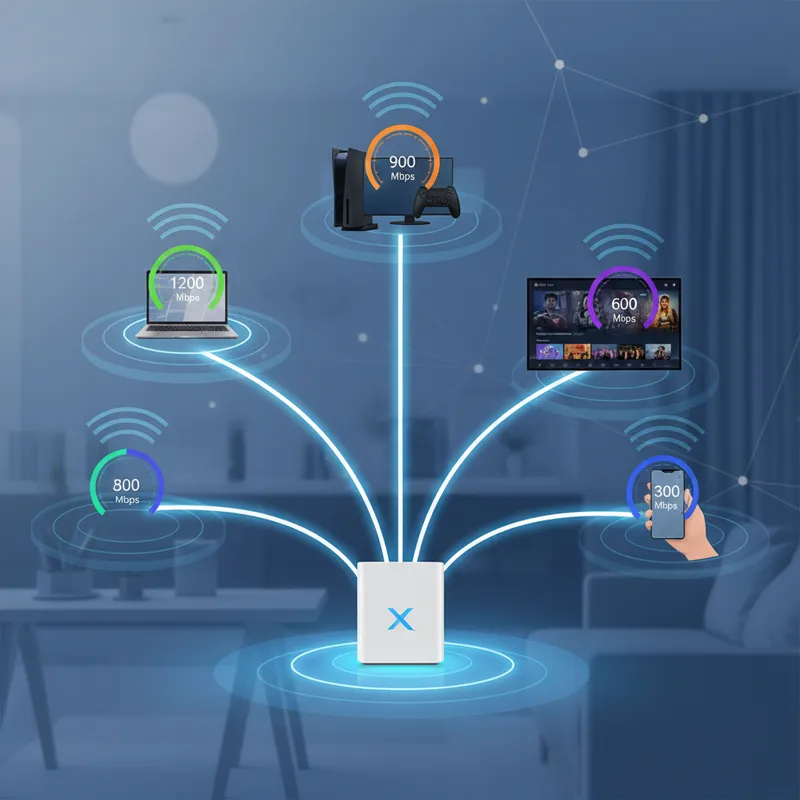
When Xfinity advertises “lightning-fast internet speeds,” it refers to the maximum theoretical throughput your Xb7 Modem is capable of delivering under ideal conditions, usually measured in megabits per second (Mbps) or gigabits per second (Gbps). However, understanding the practical implications is key.
Theoretical vs. Real-World Performance
The Xb7 is designed to support Xfinity plans up to 2.5 Gbps, leveraging its 2.5 Gigabit Ethernet (GbE) port for the incoming internet signal. For your wired devices, it typically offers four Gigabit Ethernet ports for direct connections, ensuring high-speed data transfer for gaming consoles, desktop PCs, and media servers. On the wireless front, Wi-Fi 6 on the Xb7 can theoretically achieve speeds well over 1 Gbps on the 5 GHz band, depending on channel width and signal strength. In the real world, several factors influence the actual speed you experience:
- Your Xfinity Plan: The primary limitation is always the speed tier you subscribe to. The Xb7 Modem won’t magically deliver 2 Gbps if your plan is only 400 Mbps.
- Device Capabilities: Your client devices (laptop, phone, tablet) must also support Wi-Fi 6 to fully benefit from its enhancements. Older devices with Wi-Fi 5 (802.11ac) or older will connect at their respective maximum speeds, which are lower.
- Network Congestion: While Wi-Fi 6 is great at managing congestion, if your neighborhood’s cable infrastructure is heavily utilized during peak hours, or if many devices on your home network are simultaneously performing high-bandwidth tasks, you might see some speed fluctuations.
- Physical Environment: Walls, floors, other electronics (like microwaves or cordless phones), and even your neighbor’s Wi-Fi networks can cause interference and reduce Wi-Fi signal strength and speed.
- Wiring and Hardware Quality: Old, damaged coaxial cables, faulty Ethernet cables, or outdated network adapters in your devices can bottleneck performance.
Latency and Throughput
Beyond raw speed, the Xb7 Modem’s capabilities translate into tangible benefits for everyday use:
- Reduced Latency: DOCSIS 3.1 and Wi-Fi 6 both contribute to lower latency (ping). This is critical for online gaming, video conferencing, and other real-time applications where quick response times are essential. A lower ping means less delay between your action and the server’s response.
- High Throughput for Multiple Devices: The Xb7 can efficiently manage many connected devices simultaneously. You can have a 4K movie streaming in the living room, someone gaming online in a bedroom, another person on a video call, and several smart home devices communicating, all without significant degradation in performance for any single activity. This is where the true power of the Xb7’s Wi-Fi 6 architecture shines.
Setting Up Your Xb7 Gateway: A Smooth Start
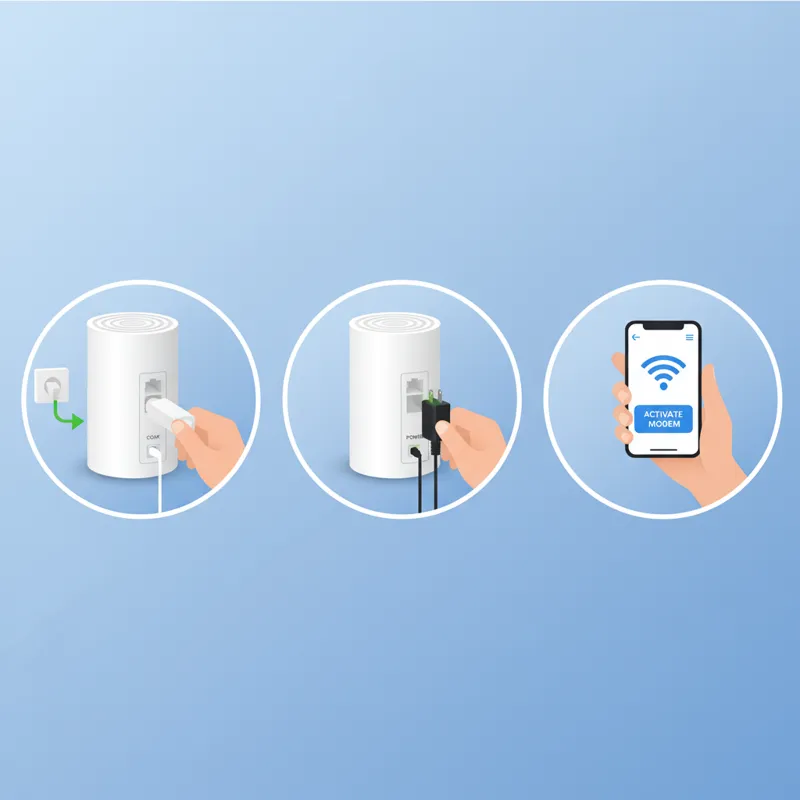
Getting your Xb7 Modem up and running is typically straightforward, thanks to Xfinity’s guided setup processes. Most users will find the self-installation kit sufficient.
Physical Connection
- Choose a Central Location: Place your Xb7 Modem in a central, elevated, and open area of your home. Avoid enclosing it in cabinets or placing it near large metal objects, which can block Wi-Fi signals.
- Coaxial Cable: Connect one end of the provided coaxial cable to the wall outlet and the other end securely to the “Cable In” port on the back of the Xb7. Hand-tighten these connections.
- Power Cable: Plug the power adapter into the Xb7’s power port and then into a wall outlet. Avoid using surge protectors initially, as some can interfere with modem startup.
- Optional Ethernet: If you have devices requiring a wired connection, connect an Ethernet cable from one of the yellow LAN ports on the Xb7 to your device.
Activation Process
Once powered on, the Xb7 Modem’s indicator lights will cycle. Wait for the Online light (usually solid white or green) to stabilize, indicating it has successfully connected to the Xfinity network. The easiest way to activate your Xb7 is through the Xfinity app on your smartphone or tablet.
- Download and open the Xfinity app.
- Log in with your Xfinity ID and password.
- Follow the on-screen prompts to activate your new gateway. The app will guide you through naming your Wi-Fi network (SSID) and setting a password.
If the app isn’t working, you can usually activate it by visiting xfinity.com/activate from a device connected to the Xb7’s temporary Wi-Fi network (details on a sticker on the modem) or via an Ethernet connection.
Optimizing Your Xb7 for Peak Performance
While the Xb7 Modem is a powerful device, a bit of optimization can significantly enhance your internet experience.
Strategic Placement
Reiterating: Location is paramount. Think of your Wi-Fi signal like sound waves; obstructions dampen them. Keep the Xb7:
- Central: Minimizes distance to all devices.
- Elevated: Higher placement reduces interference from furniture and other objects.
- Open: Away from walls, large appliances, and other electronics that can cause interference.
Wi-Fi Channel Optimization
Your Xb7 Modem usually handles Wi-Fi channel selection automatically. However, in dense urban or suburban areas, neighboring Wi-Fi networks can cause interference on the same channels, particularly on the 2.4 GHz band.
- 2.4 GHz Band: Offers greater range but lower speeds and is more susceptible to interference. Ideal for smart home devices and older gadgets.
- 5 GHz Band: Provides faster speeds but has a shorter range and is more easily blocked by obstacles. Best for high-bandwidth devices like streaming players and gaming consoles.
If you suspect interference, you can use a Wi-Fi analyzer app on your smartphone to identify less congested channels in your area. You can then log into your Xb7’s administrative interface (typically accessible via a web browser at 10.0.0.1) and manually select a less crowded channel. Xfinity’s xFi app also provides tools for network management and optimization.
Firmware Updates
Xfinity automatically pushes firmware updates to your Xb7 Modem. These updates often include performance enhancements, security patches, and bug fixes. Ensure your modem remains powered on so it can receive these crucial updates without interruption.
Advanced Settings & Features
For users who want more control, the Xb7 offers a range of advanced settings:
- Port Forwarding: Essential for certain online games, remote access to devices (like security cameras), or hosting specific applications. This allows external connections to reach a specific device on your home network.
- Bridge Mode: If you prefer to use your own, more advanced router or a mesh Wi-Fi system, you can put the Xb7 Modem into bridge mode. This disables its routing and Wi-Fi capabilities, essentially turning it into a pure modem, allowing your personal router to handle all network management. This is often recommended for those seeking maximum control or wider Wi-Fi coverage with a dedicated mesh system.
- Guest Network: Enable a separate Wi-Fi network for guests. This keeps your main network password secure and isolates guest devices from your primary network, enhancing security.
Ensuring your network is configured optimally is a deep rabbit hole, but for most, proper placement and understanding the basics of channel utilization will go a long way. Just as selecting a comfortable ceiling fan with a remote enhances your living space, thoughtful network configuration significantly improves your digital environment.
What Most People Get Wrong About Their Xb7 Modem
It’s easy to blame the modem when internet speeds feel sluggish, but often the issue lies elsewhere or stems from a misunderstanding of how home networks truly function.
Expecting Theoretical Max Speeds Everywhere
Many users assume their 1 Gbps internet plan means every device, everywhere in their home, should consistently hit 1 Gbps. This is rarely the case. As discussed, real-world factors like Wi-Fi interference, device capabilities, and distance from the router significantly degrade speeds. The 1 Gbps is the pipe coming into your home, not necessarily the speed reaching every individual device wirelessly.
Blaming the Modem for ISP Line Issues
Your Xb7 Modem is only as good as the signal it receives from Xfinity. If there are line issues outside your home, damaged coaxial cables in the walls, or problems at the street node, even a perfect modem won’t deliver optimal performance. Always check Xfinity’s service status in your area before troubleshooting your equipment.
Ignoring Placement for Optimal Wi-Fi Coverage
This is one of the most common oversights. Sticking the Xb7 in a closet, behind a TV, or in a corner of the basement severely limits its Wi-Fi reach and performance. Many believe the modem magically projects Wi-Fi equally, but it’s a broadcast signal affected by physics.
Not Understanding Bridge Mode vs. Router Mode
Confusion about bridge mode leads to “double NAT” issues, which can cause problems for online gaming, VPNs, and certain applications. If you add your own router and don’t put the Xb7 into bridge mode, you’ll have two devices performing Network Address Translation, which complicates network communication. Knowing when and how to enable bridge mode is crucial for advanced setups.
Overlooking Basic Cable Integrity
Loose coaxial connections, crimped or damaged Ethernet cables, or poor-quality splitters for your cable TV can all drastically impact your internet speed and reliability. These are often easy fixes that get overlooked. Just as there are nuanced details that contribute to the robust flavor profile of French Roast coffee, understanding the Xb7’s components and their connections is key to maximizing its performance.
Common Troubleshooting Steps for Xb7 Connectivity Issues
When your internet connection goes awry, a methodical approach to troubleshooting can save you a support call.
1. The Classic Reboot
It’s a cliché because it often works. Unplug the Xb7 Modem’s power cord, wait 30 seconds, then plug it back in. Allow 3-5 minutes for it to fully boot up and reconnect to the Xfinity network. This often resolves minor software glitches or clears up temporary connection issues.
2. Check All Connections
Ensure all coaxial and Ethernet cables are securely fastened, not just at the Xb7 but also at the wall outlets. Verify no cables are visibly damaged or kinked.
3. Verify Service Status
Use the Xfinity app or visit their website (from your phone’s cellular data or a neighbor’s Wi-Fi) to check for reported outages in your area. There’s no point troubleshooting your modem if the problem is upstream.
4. Run Speed Tests
Use a reliable speed test website (like Ookla Speedtest or Xfinity’s own speed test) on a device connected via Ethernet directly to the Xb7 Modem. This eliminates Wi-Fi variables. Compare these results to your subscribed plan speed. If wired speeds are consistently low, the issue might be with your Xfinity service itself. If wired speeds are good but Wi-Fi speeds are poor, the problem is likely with your Wi-Fi setup (placement, interference, device issues).
5. Isolate the Problem
- Device-Specific: Is only one device having issues, or is it all devices? If it’s just one, the problem might be with that device’s Wi-Fi adapter, drivers, or software.
- Wired vs. Wireless: If wired connections are fine but wireless is not, focus on Wi-Fi optimization (placement, channels).
6. Reset to Factory Defaults (Last Resort)
If all else fails, a factory reset can resolve persistent configuration issues. Locate the small reset button (often recessed) on the back of the Xb7 and hold it down for 10-15 seconds with a paperclip until the lights flash. Be aware this will erase all your custom settings (Wi-Fi name, password, port forwards) and return the modem to its original factory state. You’ll need to reconfigure it.
Xb7 Modem vs. Other Options: Renting vs. Owning
Deciding whether to rent the Xb7 Modem from Xfinity or purchase your own compatible modem and router is a common dilemma.
Renting the Xb7 Modem
Pros:
- Simplicity & Support: Xfinity handles all troubleshooting, updates, and replacements. If there’s an issue, it’s their equipment to fix.
- Integrated Features: Often includes xFi Advanced Security and other Xfinity-specific features.
- Automatic Upgrades: You’re usually among the first to receive newer gateway models (like the Xb8) when available and applicable to your service tier.
Cons:
- Monthly Fee: The rental fee, typically around $15-20/month in 2026, adds up over time.
- Less Control: Xfinity controls firmware updates and some advanced settings.
Owning Your Own Modem & Router
Pros:
- Cost Savings: Over 1-2 years, buying your own equipment can be cheaper than renting, especially for long-term Xfinity subscribers.
- More Control: You have full control over firmware, advanced settings, and customization.
- Feature Choice: You can select a modem and router with specific features (e.g., more advanced parental controls, better QoS, Wi-Fi 6E or upcoming Wi-Fi 7 support, or higher-speed LAN ports not found on the Xb7).
Cons:
- Upfront Cost: A quality DOCSIS 3.1 modem and Wi-Fi 6 router can be a significant initial investment.
- Self-Support: You are responsible for troubleshooting and replacing your own equipment.
- Compatibility: You must ensure any modem you buy is on Xfinity’s list of compatible devices to ensure it works with their service and supports your subscribed speed tier. This is a critical step, as not all modems are created equal.
Xb7 vs. Xb8: The Xb8, the next generation Xfinity gateway, typically offers Wi-Fi 6E (adding the 6 GHz band for even less interference and higher speeds) and potentially faster internal components. For most users on gigabit plans, the Xb7 Modem remains highly capable. The Xb8 becomes more appealing for those with many Wi-Fi 6E-compatible devices or multi-gigabit internet plans (2 Gbps and higher) that benefit from the 6 GHz band’s expanded bandwidth. Ultimately, the choice depends on your technical comfort, budget, and desire for control. For many, the convenience of the Xb7 Modem, coupled with Xfinity’s support, outweighs the rental fee. However, savvy users can unlock more features and save money by purchasing their own compatible gear.
Frequently Asked Questions About the Xb7 Modem
Can I use my own router with the Xb7 Modem?
Yes, absolutely. You can connect your preferred router to one of the Xb7’s Ethernet ports. For optimal performance and to avoid “double NAT” issues, it’s generally recommended to put the Xb7 into bridge mode, which disables its internal router and Wi-Fi functions, allowing your own router to manage the network fully.
What’s the difference between Xb7 and Xb8?
The primary difference lies in the Wi-Fi standard they support. The Xb7 Modem uses Wi-Fi 6 (802.11ax), operating on the 2.4 GHz and 5 GHz bands. The newer Xb8 supports Wi-Fi 6E, which adds a third 6 GHz band. This 6 GHz band provides even wider channels and less interference, leading to potentially higher speeds and lower latency for Wi-Fi 6E compatible devices. The Xb8 also typically features faster internal processing and port speeds.
How do I put my Xb7 into bridge mode?
You can typically enable bridge mode through the Xfinity app or by logging into the Xb7’s administrative interface (usually 10.0.0.1) via a web browser. Look for a setting called “Bridge Mode” or “Gateway At a Glance.” Enabling it will disable the Xb7’s Wi-Fi and routing capabilities. Remember to connect your personal router to the Xb7’s 2.5 Gbps Ethernet port for maximum throughput if your router supports it.
Why am I not getting advertised speeds with my Xb7?
Several factors can cause this:
- Wi-Fi Limitations: Wi-Fi speeds are always lower than wired speeds due to interference, distance, and device capabilities.
- Network Congestion: Your subscribed plan’s speed is a maximum, not a guarantee during peak usage or if many devices are active.
- Device Hardware: Older devices or those with slower Wi-Fi adapters won’t hit top speeds.
- Cabling/Infrastructure: Issues with the coaxial line coming into your home or within your walls can degrade speeds.
- Server Limitations: The server you’re downloading from or connecting to might be the bottleneck, not your internet connection.
Always test wired directly to the Xb7 Modem first to rule out Wi-Fi issues.
Does the Xb7 support Wi-Fi 6E?
No, the Xb7 Modem supports Wi-Fi 6 (802.11ax) on the 2.4 GHz and 5 GHz bands. Wi-Fi 6E, which adds the 6 GHz band, is a feature found on the newer Xb8 gateway.
What if I just want a simple modem without the router?
The Xb7 is a gateway (modem and router combined). If you prefer a standalone modem, you would need to purchase your own DOCSIS 3.1 modem that is compatible with Xfinity and then use your own router. This allows for more granular control over your network, though it requires more initial setup. When you’re making choices about your home internet, it’s much like choosing from a diverse menu of refreshing drinks; you pick what best suits your taste and needs.
Conclusion
In 2026, the Xfinity Xb7 Modem remains a formidable piece of networking hardware, perfectly capable of delivering the lightning-fast internet speeds that most Xfinity subscribers rely on daily. Its foundation on DOCSIS 3.1 and integration of Wi-Fi 6 technology ensure it handles gigabit internet tiers with efficiency, providing robust performance for a multitude of connected devices. While newer gateways like the Xb8 offer incremental advancements, understanding and optimizing your Xb7 Modem can unlock its full potential, ensuring a stable, fast, and responsive internet experience. By paying attention to placement, understanding its features, and performing basic troubleshooting, you can ensure your Xb7 continues to be the reliable heart of your home network.